
Role-Based Access Control in Business Software: How RBAC Works
Short answer
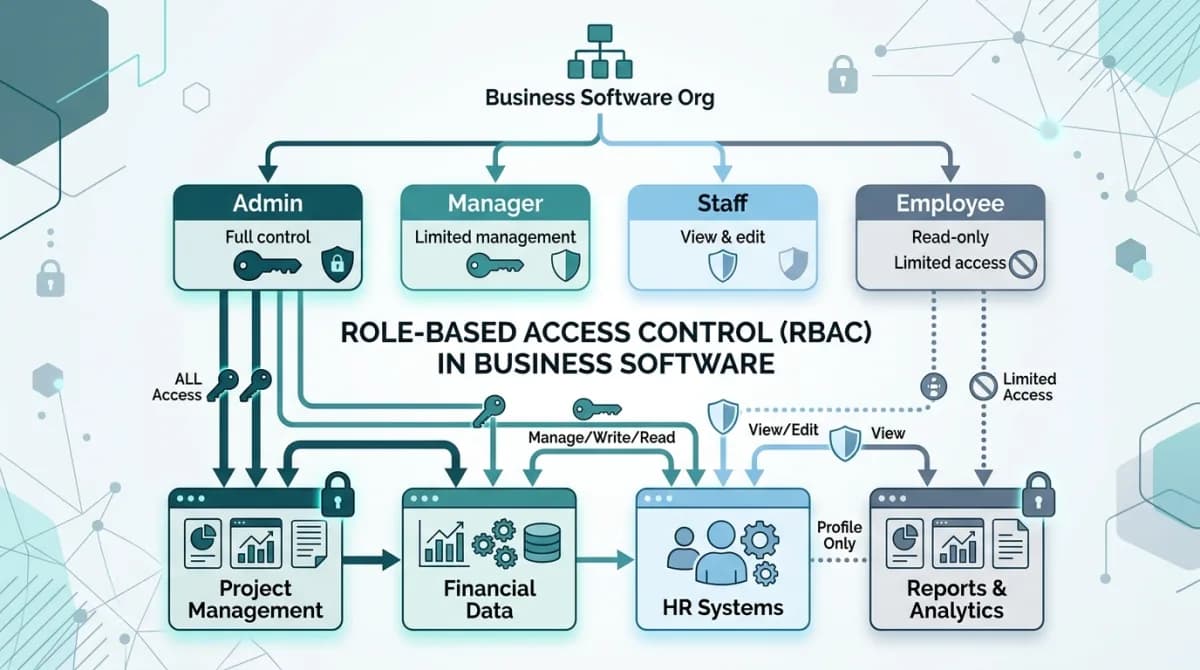
Role-based access control in business software assigns each user a role that defines which modules they can access, which actions they can perform, and which branches or departments they can see data for. RBAC prevents employees from viewing salary data, financial reports or records outside their assigned scope, and extends to AI assistants that must query only permitted records.
Software discussed: Dino Business OS · Try the live demo
What Is RBAC in Business Software?
Role-Based Access Control (RBAC) is the foundational security model governing how employees interact with enterprise software. Rather than assigning individual file or database permissions to each staff member, administrators establish clear organizational roles — such as Super Administrator, Branch Manager, Finance Officer, Sales Representative, and General Employee. Each role is assigned an explicit matrix of granular privileges that dictate which screens can be viewed, which documents can be created, and which financial approvals can be authorized.
The Three Hierarchical Dimensions of Modern RBAC
Enterprise security requires more than just showing or hiding menu links. A robust access architecture enforces security across three distinct structural layers:
Role explosion is the failure mode to design against. Every request for a slightly different permission set tempts you to create another role, and organisations routinely end up with forty roles nobody can audit. Keeping roles few and composing them with branch scope and record ownership handles most real requirements without multiplying the list you have to review each year.
| Access Dimension | Enforcement Scope | Concrete Operational Example |
|---|---|---|
| Module Navigation Level | Determines which entire operational domains a user can load in their browser | Finance officers can navigate to Invoicing, Payroll, and General Ledger; sales reps are blocked |
| Action Privilege Level | Restricts what actions a user can execute within an authorized module | Store managers can view quotations and create sales orders, but cannot delete invoices or edit chart of accounts |
| Data Domain Scoping | Constrains visible database rows based on branch assignment or record ownership | A Hyderabad branch manager sees only Hyderabad stock, local employee records, and regional purchase requests |
Why Artificial Intelligence Assistants Require Hardened RBAC
The introduction of generative AI and natural language assistants into business applications introduces significant security implications. If an AI assistant possesses unconstrained read access to the entire database, any employee could ask: 'What are the salaries and bonus structures of the executive leadership team?' and receive sensitive corporate records in seconds.
The specific danger is that a language model is persuasive about data it should never have seen. If retrieval runs with broad credentials and the model is merely instructed to withhold restricted records, a well-phrased question eventually extracts them. Enforcing scope in the query itself means the restricted rows never enter the context, so there is nothing for the prompt to talk its way around.
To eliminate this risk, the AI assistant's underlying query agents must inherit the authenticated session context of the user asking the question. When a sales officer asks an AI assistant for a financial summary, the assistant's database query automatically appends authorization filters that restrict results to sales data. The language model never receives confidential payroll rows in its context window.
RBAC Security Implementation Checklist
- Define canonical organizational roles that reflect your real operational reporting hierarchy
- Enforce access authorization checks at backend API controller layers, never solely on frontend UI buttons
- Implement row-level security scoping on all multi-branch relational database queries
- Ensure all file storage objects and sensitive PDF documents inherit the parent record's permission boundaries
- Maintain an immutable administrative audit log recording every role modification and permission elevation
- Review and audit user assignments quarterly to revoke permissions for departed or transitioned personnel
Frequently Asked Questions
Frequently Asked Questions
How many roles should a growing business define?
Most organizations operate smoothly with five to eight core roles: Super Administrator, Admin, Branch Manager, Finance Director, Sales Representative, Warehouse Staff, and Employee.
Can RBAC prevent AI assistants from leaking confidential data?
Yes, provided the permissions are applied at the SQL query construction layer before records reach the artificial intelligence model.
What is the difference between RBAC and ABAC?
RBAC assigns permissions based on pre-set user roles, whereas Attribute-Based Access Control (ABAC) evaluates dynamic attributes like time of day, IP address, and device posture.
How are permission changes audited?
Every role modification, permission assignment, and administrative elevation is recorded with timestamps and administrator user IDs in a searchable audit ledger.
The software in this article
Dino Business OS
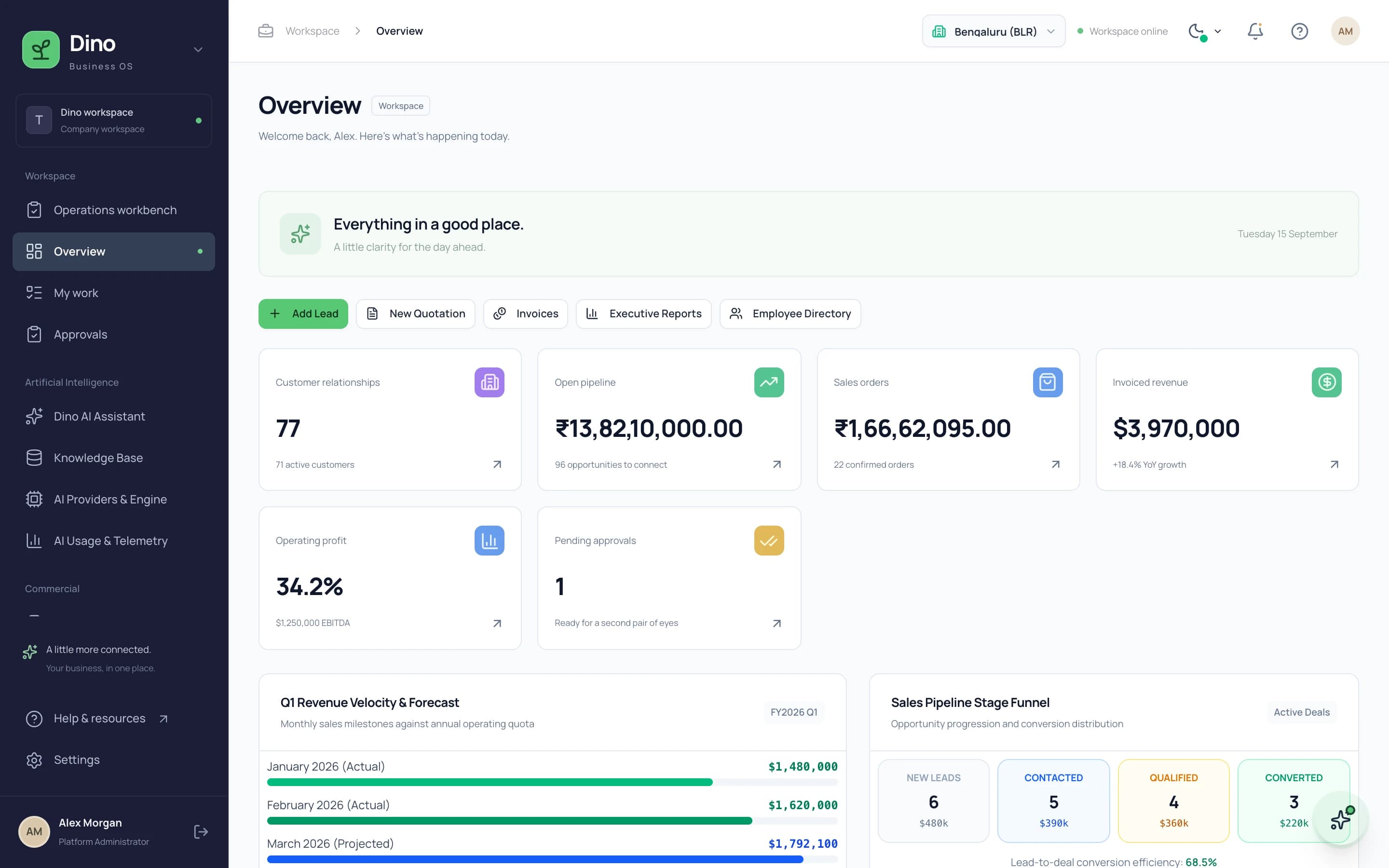
Dino Business OS is AI-powered business operations software that connects CRM, sales, procurement, inventory, projects, HR, payroll, service, assets, documents and finance in one permission-controlled workspace with a built-in LangGraph multi-agent AI assistant.
Want Dino Business OS Under Your Brand?
Rebrand Dino Business OS with your logo and domain, or have it customized for your workflow. All quotes are customized and private.
Related Articles
Quotation-to-Invoice Workflow Automation: Eliminate Manual Re-Entry
How automated quotation-to-invoice workflows connect quotations, sales orders, delivery notes, tax invoices and payment receipts into one document chain that eliminates manual data re-entry.
Procurement and Inventory Management Software: Feature Checklist
A comprehensive feature checklist for procurement and inventory management software covering purchase requests, supplier orders, goods receipts, branch stock, valuation and reporting.