
Quotation-to-Invoice Workflow Automation: Eliminate Manual Re-Entry
Short answer
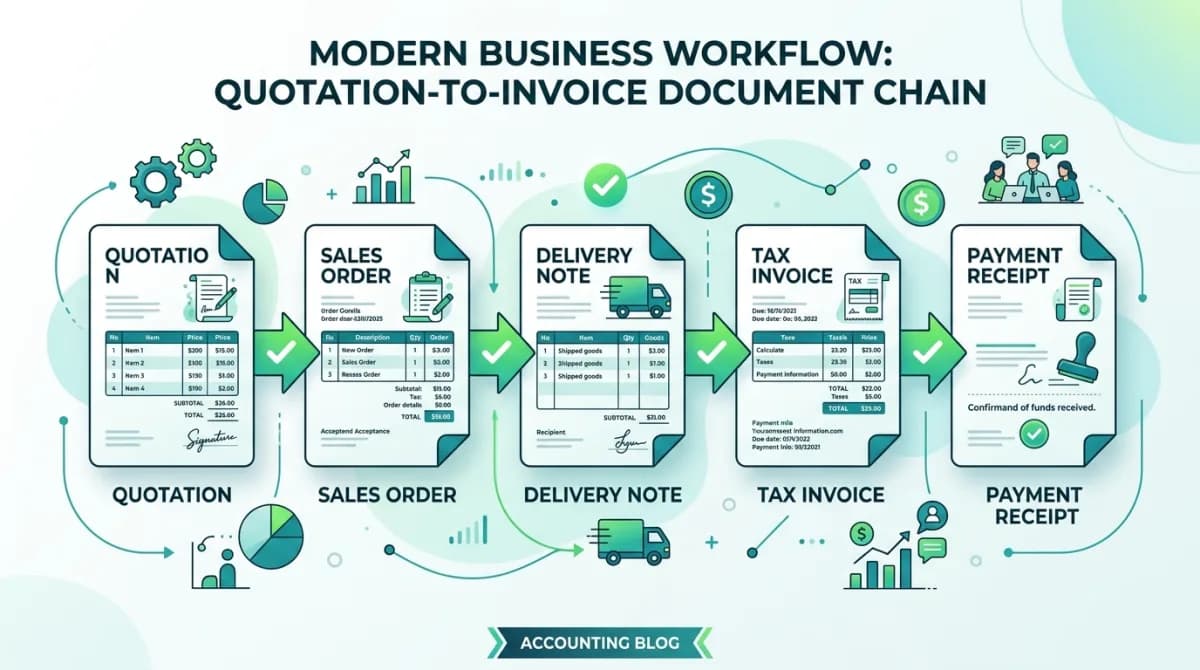
Quotation-to-invoice workflow automation connects five business documents — quotation, sales order, delivery note, tax invoice and payment receipt — into one chain where data flows forward automatically. Each document inherits customer details, product lines and pricing from the previous step, eliminating manual re-entry and ensuring the general ledger reflects the exact commercial terms agreed at quotation stage.
Software discussed: Dino Business OS · Try the live demo
The High Cost of Disconnected Sales and Accounting Documents
In traditional manual business operations, an inquiry triggers a quotation drafted in a word processor. Once the client approves, an administrative clerk re-types those identical items into an order tracking spreadsheet. When goods ship, a dispatcher types out a paper delivery slip. Finally, an accountant re-enters the entire transaction into standalone bookkeeping software. This repetitive re-keying wastes hours of labor, introduces pricing discrepancies, and delays billing cycles.
The cost compounds quietly because nothing visibly fails. Orders still ship and invoices still go out, so the damage shows up as slow month-ends, disputed line items and a sales figure that never quite agrees with finance. Teams frequently absorb this for years before recognising it as a systems problem rather than a discipline problem.
The Five Connected Pillars of the Quotation-to-Cash Chain
Automated business operations software organizes the sales journey into an unbroken, auditable document sequence where data flows seamlessly forward:
- Commercial Quotation: Documents agreed line items, negotiated unit prices, volume discounts, payment milestones, and expiration terms
- Confirmed Sales Order: Locks agreed commercial pricing upon customer acceptance and signals warehouse inventory teams to allocate stock
- Warehouse Delivery Note: Confirms actual physically dispatched quantities from the local branch and adjusts inventory ledgers in real time
- Compliant Tax Invoice: Automatically generates tax computations (GST or VAT) and posts balanced debit and credit entries to the general ledger
- Payment Receipt Voucher: Records inbound settlement via bank transfer, cheque, or payment gateway and closes open accounts receivable balances
Comparing Manual Re-Keying Against Unified Document Automation
| Operational Step | Manual Process Friction | Automated Workflow Result |
|---|---|---|
| Customer detail handling | Retyped across four different document templates | Auto-populated from master account record across the entire chain |
| Product line entry | Manual copying prone to incorrect SKU or price input | One-click document conversion preserves exact authorized line items |
| Inventory synchronization | Manual phone calls to warehouse staff to verify stock | Real-time stock reservation triggered automatically upon sales order confirmation |
| Tax and accounting entries | Manual bookkeeping entries posted weeks after shipment | Instant general ledger journal entry posted the moment tax invoice is issued |
| Dispute resolution | Searching paper files to verify what pricing was quoted | Direct clickable document lineage linking invoice back to original signed quotation |
The cost of re-keying is not mainly the typing. It is that each retyped document becomes an independent version of the truth, so when a customer disputes a line item three months later nobody can say whether the quotation, the order or the invoice is authoritative. A linked chain removes the question entirely: the invoice can only contain what the order confirmed, and the order only what the quotation priced.
Empowering Finance and Operational Audits
When every tax invoice maintains an immutable link back to its originating sales order and quotation, monthly financial audits become straightforward. Management can track whether margins were preserved, verify who approved price overrides, and verify that billed quantities match verified delivery receipts.
Audit value comes from the links, not the log. Being able to open an invoice and walk backwards to the goods receipt, the purchase order and the approval that authorised it turns a week of document-hunting into a few clicks, which matters during a statutory audit and matters more during a dispute. Keep approvals as first-class records with a timestamp and a user, not as an email thread attached afterwards.
Frequently Asked Questions
Frequently Asked Questions
Does the workflow support partial shipments and split deliveries?
Yes. A single confirmed sales order can generate multiple successive delivery notes, with each delivery producing a corresponding partial tax invoice for the exact quantities dispatched.
Can quotations be revised before final customer approval?
Yes. The system supports full quotation revision versioning, keeping a historical record of all pricing and scope adjustments before final conversion to an order.
Does this workflow support Indian GST and UAE VAT invoicing?
Yes. Tax engines calculate CGST, SGST, IGST, or VAT based on configured customer tax identification numbers and place-of-supply rules.
How are payment receipts reconciled against outstanding invoices?
When payments are logged, the system auto-allocates funds against the earliest overdue invoice or allows manual line-item allocation against specific billing records.
The software in this article
Dino Business OS
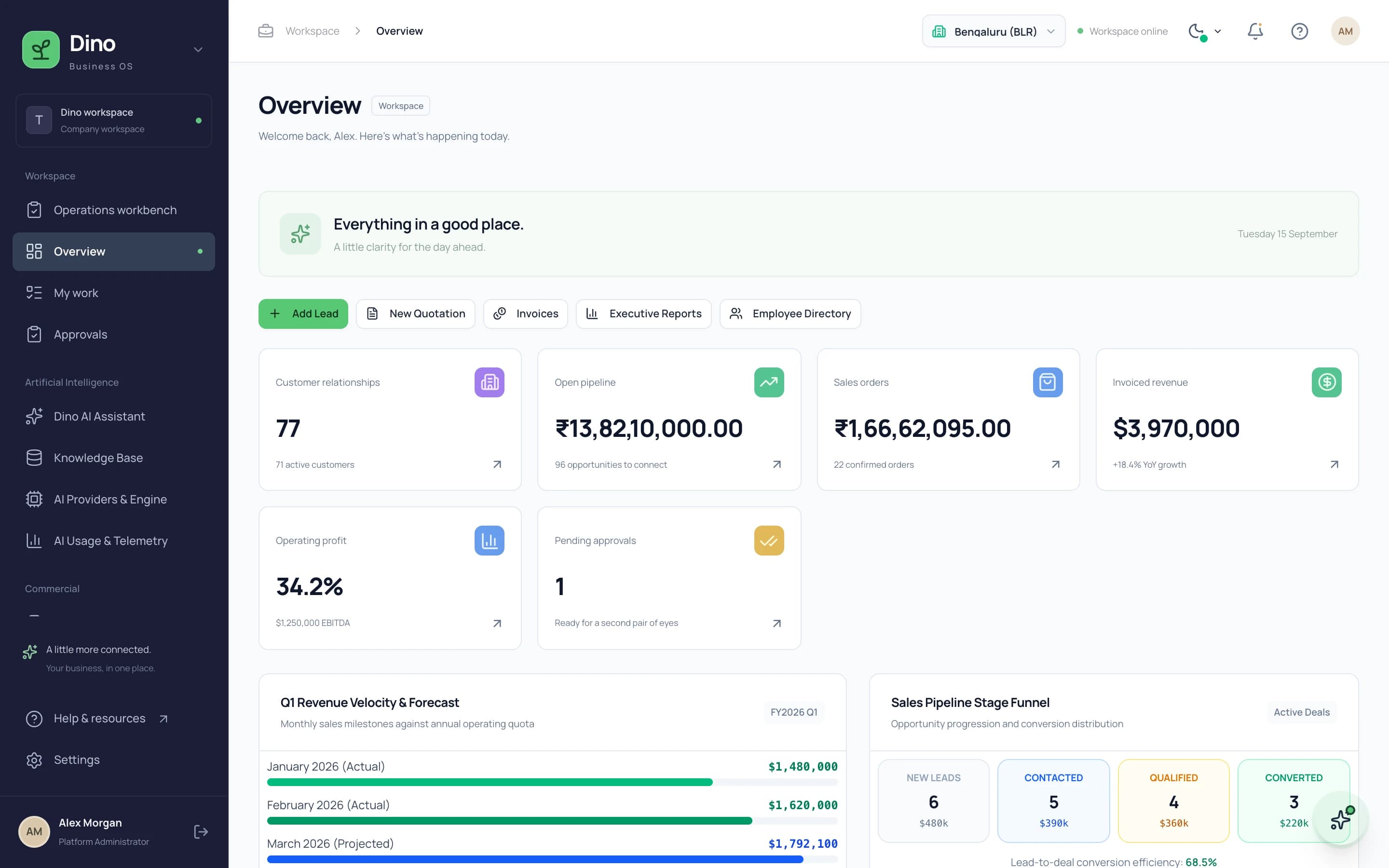
Dino Business OS is AI-powered business operations software that connects CRM, sales, procurement, inventory, projects, HR, payroll, service, assets, documents and finance in one permission-controlled workspace with a built-in LangGraph multi-agent AI assistant.
Want Dino Business OS Under Your Brand?
Rebrand Dino Business OS with your logo and domain, or have it customized for your workflow. All quotes are customized and private.
Related Articles
Role-Based Access Control in Business Software: How RBAC Works
A practical guide to how role-based access control works in business ERP software, covering roles, permissions, module access, branch scoping and why AI assistants need permission-scoped queries.
Coworking Space Management Software: What Operators Need Before They Buy
A buyer's guide to coworking management software: the public catalogue, member booking, memberships and credits, CRM for tours and contracts, and finance reporting — and what a white-label, source-code delivery changes.