
Coworking Space Management Software: What Operators Need Before They Buy
Short answer
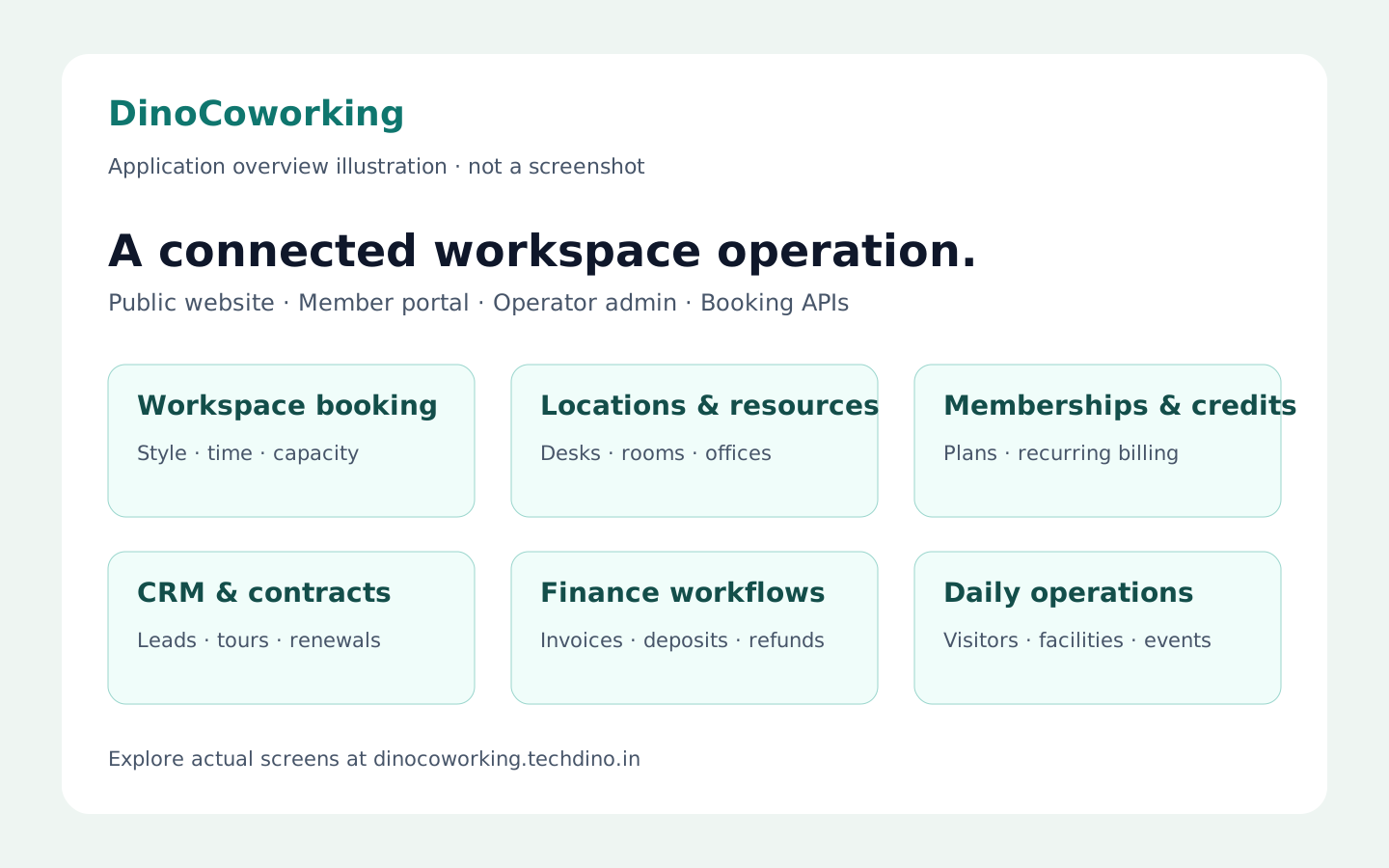
Coworking space management software runs the bookable side of a shared workspace: a public catalogue of desks, meeting rooms and cabins, a member booking portal, memberships with usage credits and recurring billing, CRM for leads, tours and contracts, and finance reporting. DinoCoworking delivers those workflows as one white-label application with source code for the agreed scope, deployed on hosting the operator controls.
Software discussed: DinoCoworking · Try the live demo
Why spreadsheets break at the second location
A single coworking floor can run on a shared calendar and an invoice template. The moment an operator adds a second location, a phone booth that bills by the hour, and a membership plan that includes ten meeting-room credits a month, the calendar stops being the source of truth. Double bookings appear, credits are tracked by memory, and the monthly invoice run takes a day. Coworking space management software exists to make the catalogue, the bookings, the memberships and the money one connected record.
The modules an operator should expect
The list below is what DinoCoworking ships in its published module scope; use it as a checklist against any product you evaluate.
- **Workspace catalogue and booking** — a public catalogue and booking journey by workspace style, location, start and end time and headcount, so a prospect can book without calling.
- **Location and resource management** — desks, seats, phone booths, meeting rooms, private cabins and team offices organised per location.
- **Memberships, credits and billing** — membership plans, usage credits and recurring billing workflows within the agreed product scope.
- **CRM, tours and contracts** — leads, workspace tours, quotes, contracts and renewals as connected operator workflows rather than a separate sales spreadsheet.
- **Finance and reporting** — invoices, payments, deposits, refunds and finance reports; the payment provider is configured per deployment.
- **Visitors, facilities and events** — visitor, facility, access and event workflows for the workspace team; physical access hardware is scoped separately.
- **Permissions, audit and APIs** — role-based access, audit trails, API keys and external booking APIs.
The public catalogue is the sales page
Most coworking websites are a brochure with a 'contact us' form. A catalogue-first product changes the first interaction: a visitor sees the actual rooms, the actual availability and the actual prices, and books. That is why the DinoCoworking product page distinguishes the public workspace website, the member web portal and the operator admin as three separate interfaces — each has a different user and a different job.
Memberships versus drop-in credits
Operators sell two things: a recurring membership and one-off usage. Software that only models one of them forces workarounds. A membership plan should carry a bundle of credits; a booking should consume credits first and bill the overage; the invoice should show both. Ask any vendor to demonstrate exactly that flow in the demo before discussing price.
What the operator controls with a white-label delivery
A subscription coworking platform rents the operator a tenant on the vendor's servers. A white-label delivery is the opposite arrangement: the application is rebranded — name, logo, colours, domain, email templates — and deployed on infrastructure the operator controls, with source code handed over for the agreed scope. The white-label customization guide lists what is rebranded during setup, and the deployment options guide covers the hosting choices.
What is included in a DinoCoworking purchase
Every purchase includes complete source code for the agreed scope, deployment on hosting the buyer controls, basic migration assistance and three months of technical support. Hosting, domain and third-party service fees are billed by those providers. Pricing is quoted on scope rather than published; send the requirement through the contact page and TechDino returns a written quotation after a walkthrough.
Compare the commercial models before deciding: ready-made versus subscription SaaS and client-hosted versus vendor-hosted.
Frequently Asked Questions
Does coworking management software need a mobile app?
Not necessarily. DinoCoworking's member portal and public catalogue are responsive web applications that work on a phone browser; a native app or PWA is optional scoped work rather than an included interface.
Can one system run several coworking locations?
Yes. Locations, resources and bookings are organised per location inside one operator admin, so a multi-location brand runs on one deployment under one brand.
Which payment gateway does it use?
The payment provider is configured per deployment during scoping. Provider eligibility, fees and credentials belong to the operator, not to the software.
Is pricing published for DinoCoworking?
No. Every purchase is quoted on scope — branding, hosting target, integrations and any custom modules — and TechDino returns a written quotation after a walkthrough.
The software in this article
DinoCoworking
White-label coworking management software with a public workspace catalogue, member booking portal, memberships, operator administration, CRM, contracts and finance workflows.
Want DinoCoworking Under Your Brand?
Rebrand DinoCoworking with your logo and domain, or have it customized for your workflow. All quotes are customized and private.
Related Articles
Warehouse Management Software for Distributors and Wholesalers: A Practical Buyer's Guide
Which warehouse management functions a distributor actually needs — locations and putaway, receiving, allocation and picking, traceability and reporting — and how Dino WMS covers them with an AI assistant that proposes rather than acts.
Quotation-to-Invoice Workflow Automation: Eliminate Manual Re-Entry
How automated quotation-to-invoice workflows connect quotations, sales orders, delivery notes, tax invoices and payment receipts into one document chain that eliminates manual data re-entry.