
Warehouse Management Software for Distributors and Wholesalers: A Practical Buyer's Guide
Short answer
Warehouse management software for a distributor tracks stock by warehouse and bin location, posts supplier receipts against purchase orders, allocates and picks confirmed sales orders, records dispatch, and keeps batch, expiry and serial traceability with an audit log. Dino WMS covers those workflows in one browser application with barcode scanning and a permission-scoped AI assistant, delivered white-label with source code for the agreed scope.
Software discussed: Dino WMS · Try the live demo
Inventory software and warehouse software are not the same thing
An accounting package knows how many units exist. A warehouse management system knows where each unit is — which warehouse, which zone, aisle and bin — and what happened to it: received against which purchase order, reserved for which sales order, picked by whom, shipped when. Distributors and wholesalers outgrow inventory-only software the first time a picker cannot find stock that the system says exists.
The workflows that decide whether a WMS fits
- **Product catalogue and units** — products, categories, brands, units of measure, custom fields and barcodes as the catalogue data every other workflow reads.
- **Warehouses and locations** — a warehouse, zone, aisle and bin hierarchy with putaway, availability and movement workflows.
- **Purchasing and receiving** — purchase orders with supplier details, and goods receipts posted against the expected quantities.
- **Inventory control** — balances and ledger history, stock moves, adjustments and cycle counts.
- **Sales, picking and dispatch** — confirmed sales orders carried through allocation, picking, packing, shipments and customer delivery.
- **Traceability and quality** — batches, expiry dates, serial numbers, pallets, reservations, inspections and returns.
- **Reports and governance** — operational reports, alerts, approvals and a searchable audit log.
These are the modules listed on the Dino WMS product page. If a product you are comparing cannot show the receiving-to-dispatch chain end to end in its demo, the gap will surface on the warehouse floor, not in the sales call.
Barcode scanning without dedicated hardware
Dino WMS supports barcode and QR scanning with a phone camera or with USB and Bluetooth keyboard-wedge scanners. That matters for a wholesaler starting with two pickers and a tablet: the scanning workflow is the same one a larger operation runs with ruggedised devices later.
What an AI assistant should and should not do in a warehouse
Dino WMS includes an AI assistant that answers permission-scoped questions over the operation's own records and proposes actions for a human to review. It does not execute stock movements on its own. That boundary is deliberate: an unreviewed AI adjustment in a stock ledger is an audit problem, while a reviewed proposal is a time saving. Ask any vendor selling 'AI warehouse automation' which of the two they mean.
Distributor, retailer, manufacturer — same system, different emphasis
| Operation | Workflows used most | Why |
|---|---|---|
| Distributor / wholesaler | Purchasing, receiving, branch stock, sales orders, dispatch | Supplier receipts and customer orders flow through one stock record |
| Retail / ecommerce operation | Reservations, picking, packing, shipment status | Central warehouse stock must match sales demand |
| Manufacturer / assembly team | Received materials, serialised items, quality checks, movement records | Traceability from material receipt to finished stock |
What the purchase includes
Every purchase includes complete source code for the agreed scope, deployment on hosting the buyer controls, basic migration assistance and three months of technical support. Hosting, domain and third-party service fees are billed by those providers. Pricing is quoted on scope rather than published; send the requirement through the contact page and TechDino returns a written quotation after a walkthrough. The software handover checklist lists what a buyer should receive on delivery day.
Frequently Asked Questions
Does Dino WMS handle multiple warehouses?
Yes. Warehouses and their zone, aisle and bin locations are modelled per site, and stock moves and transfers are recorded between them.
Can it track batches and expiry dates?
Yes. Batches, expiry dates, serial numbers and pallets are part of the traceability module, alongside reservations, inspections and returns.
Is a mobile app included?
Dino WMS is a responsive browser application; scanning works with a phone camera or a keyboard-wedge scanner. A native mobile build is optional scoped work.
Is Dino WMS hosted by TechDino?
No. It is deployed on infrastructure the buyer controls, with source code for the agreed scope. Hosting is billed by the hosting provider.
The software in this article
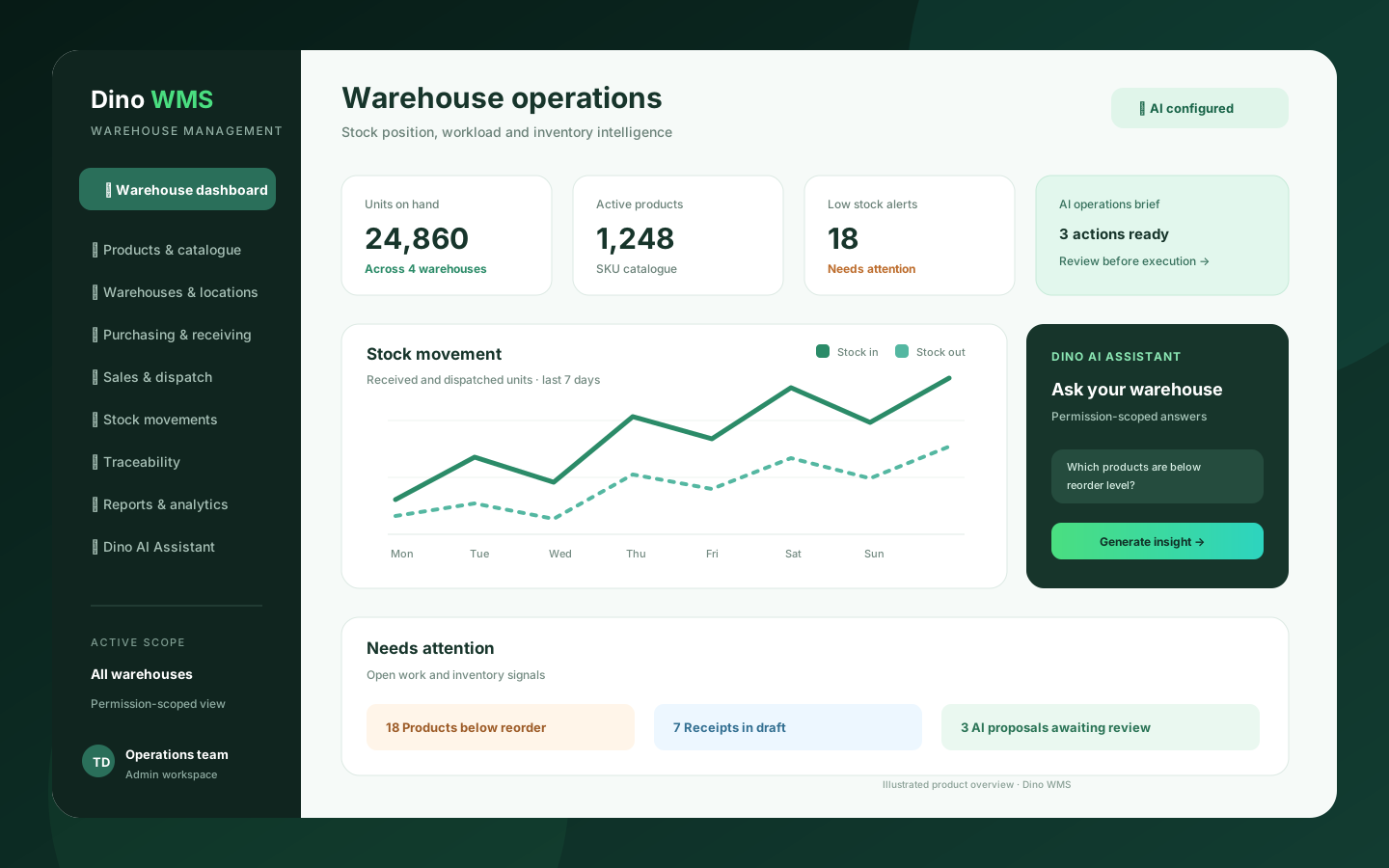
Dino WMS
AI-powered warehouse management software for products, stock, warehouses, purchasing, receipts, picking, packing, dispatch, transfers, traceability and operational reporting.
Want Dino WMS Under Your Brand?
Rebrand Dino WMS with your logo and domain, or have it customized for your workflow. All quotes are customized and private.
Related Articles
Coworking Space Management Software: What Operators Need Before They Buy
A buyer's guide to coworking management software: the public catalogue, member booking, memberships and credits, CRM for tours and contracts, and finance reporting — and what a white-label, source-code delivery changes.
Fixed Asset Management Software for IT and Facilities Teams: Registry, Custody, Maintenance and Depreciation
What an asset register must do beyond a spreadsheet: custody handover, preventive maintenance, warranty and AMC alerts, straight-line depreciation and QR-based physical audits — as delivered in Dino Assets Management.