
360° Virtual Tour Software for Real Estate Listings and Car Dealers
Short answer
360° virtual tour software turns panoramic photos into a browsable tour: one panorama per room, navigation points placed on doorways to link rooms, pins on an uploaded floor plan, and for vehicles an exterior spin built from ordered photos combined with cabin panoramas. Dino360 is a browser-based builder and WebGL viewer, delivered white-label with source code so a business owns the tool rather than paying per tour.
Software discussed: Dino360 · Try the live demo
What a 360° tour actually is
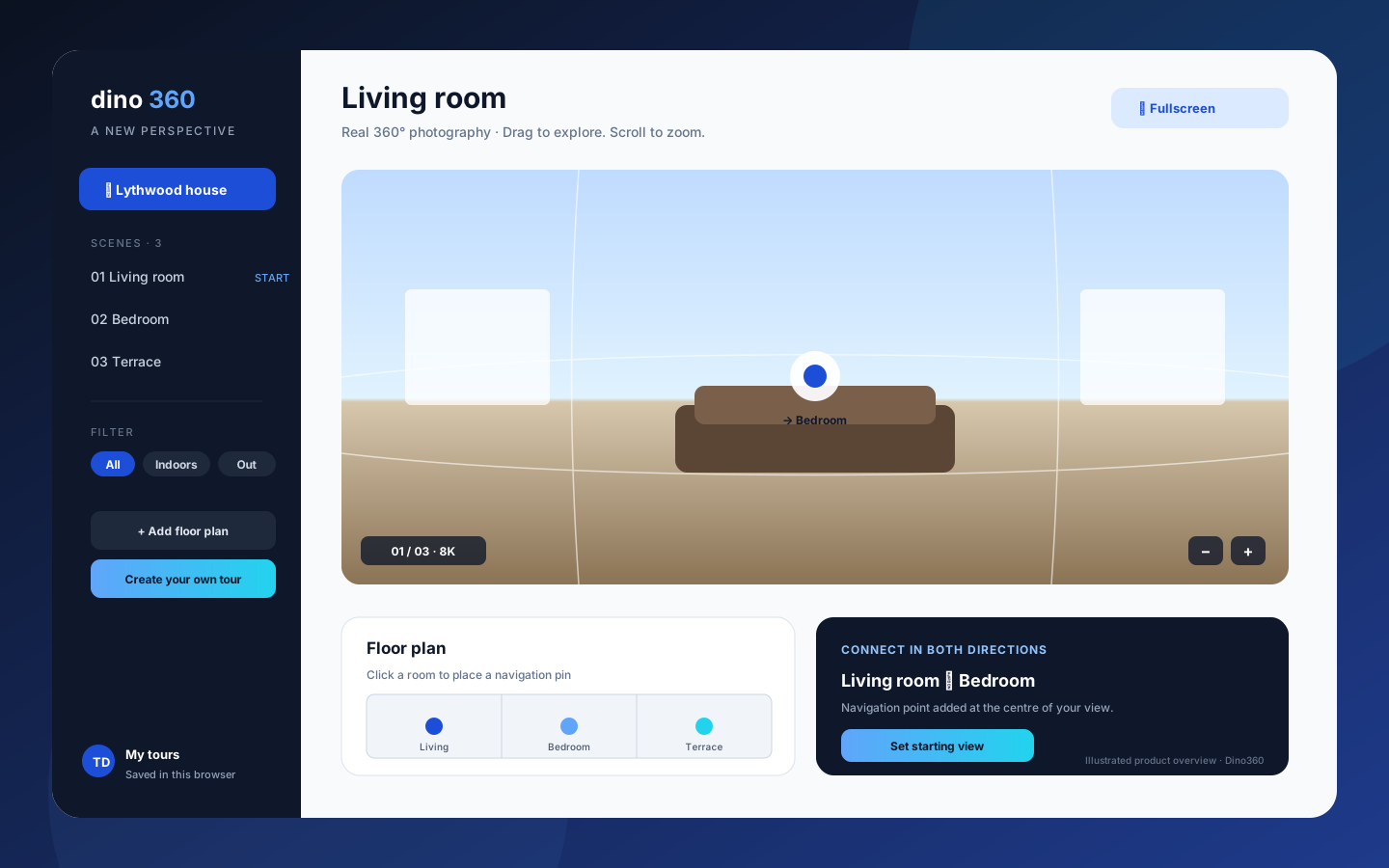
A virtual tour is a set of equirectangular panoramas — 2:1 images, 8K recommended — that a viewer renders on the inside of a sphere so the visitor can look around. Tours become useful when the scenes are linked: face a doorway, click, and the next room loads facing the right direction. Floor-plan pins add the second navigation model, where a visitor clicks a room on the plan.
Property tours: what to capture and how to link
- One panorama per room, balcony, terrace or garden, grouped as indoors and outdoors.
- A navigation point at the centre of each doorway view linking to the next scene, so the tour flows the way a site visit would.
- A floor plan (JPG, PNG or WebP, up to 20 MB in Dino360) with each room pinned by clicking its position.
- A built-in capture guide covering camera setup, room and exterior capture and stitching, so a listing agent can shoot without a photographer on the first tours.
Car tours: cabin panoramas plus an exterior spin
A vehicle needs two views a flat gallery cannot give: sitting inside, and walking around. Dino360 combines cabin panoramas with an exterior rotation built from 8 to 144 ordered photos at identical intervals, so a shopper drags to spin the car and clicks to sit inside. Used-car sellers and dealerships get the same builder real estate agencies use; the Dino360 product page lists both tour types.
Per-tour subscription versus owning the builder
Hosted tour services charge per tour or per active listing, which is a reasonable model for a photographer with five clients and a poor one for a brokerage publishing every listing. Owning the builder reverses the economics: the software is bought once for the agreed scope, deployed on the business's own hosting, and the marginal cost of the hundredth tour is the photography. The ready-made versus subscription comparison walks through the general case.
What the live demo shows and what is scoped work
The Dino360 demo stores tours in the browser so anyone can build one immediately; server storage, accounts and a tour library with archive and restore are scoped for a deployment. The viewer is WebGL with hardware acceleration, drag and swipe look-around, scroll and button zoom, keyboard arrows and full-screen. Sample collections built from CC0 photographs show a finished property tour and a finished car tour.
What is included
Every purchase includes complete source code for the agreed scope, deployment on hosting the buyer controls, basic migration assistance and three months of technical support. Hosting, domain and third-party service fees are billed by those providers. Pricing is quoted on scope rather than published; send the requirement through the contact page and TechDino returns a written quotation after a walkthrough.
Frequently Asked Questions
What camera do I need for 360° tours?
Any camera that produces 2:1 equirectangular panoramas; 8K (8192 × 4096) is recommended for room detail. The built-in capture guide covers setup and stitching.
Can Dino360 embed tours on an existing listing website?
Tours are served from the deployed Dino360 instance and can be linked or embedded from a listing page; the exact embed approach is confirmed during scoping.
Does it work on phones?
Yes. The viewer supports swipe look-around and touch zoom in a mobile browser, and the builder is a responsive web application.
Is there a per-tour fee?
No. Dino360 is purchased once for the agreed scope and deployed on hosting the buyer controls. Hosting and storage are billed by the provider.
The software in this article
Dino360
Browser-based 360° virtual tour builder for properties and cars: panoramic scenes, doorway navigation links, floor-plan pins, exterior photo spins and an interactive WebGL viewer.
Want Dino360 Under Your Brand?
Rebrand Dino360 with your logo and domain, or have it customized for your workflow. All quotes are customized and private.
Related Articles
Short News App and Digital ePaper Platform for Regional Publishers
How a regional newspaper moves online without losing the print edition: swipe-up short news cards, a digital ePaper reader, an editorial newsroom and an installable PWA — as delivered in InstNews.
How to Evaluate a Ready-Made Software Demo Before You Buy
A 45-minute checklist for testing a live software demo: the workflows to walk end to end, the questions that expose scope gaps, and what to write down before asking for a quotation.