
Employee Onboarding Workflows, KYC Document Vaults, and Asset Allocation
Short answer
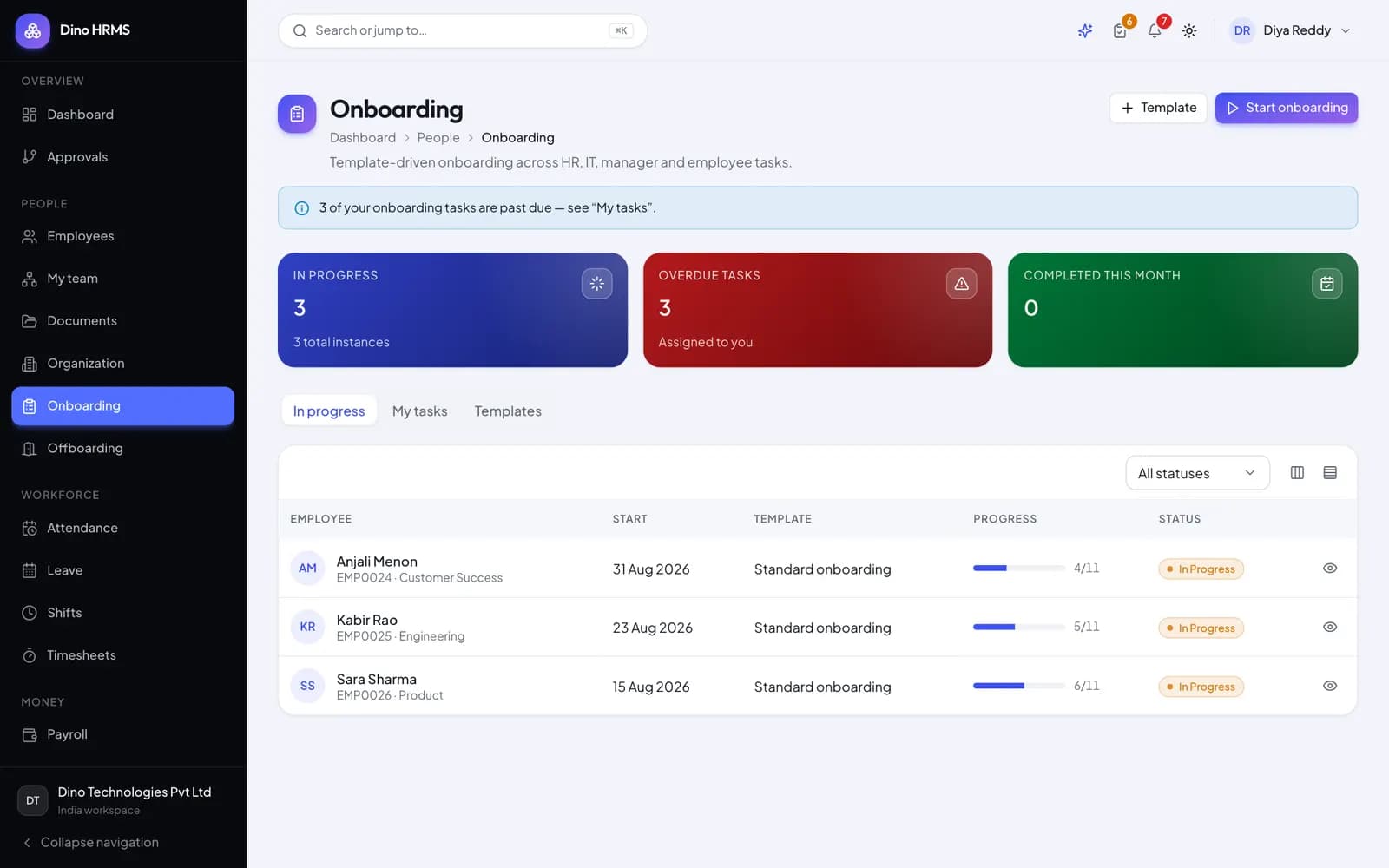
Modern employee onboarding coordinates candidate conversion, pre-boarding task checklists, encrypted KYC document collection, and hardware asset provisioning from a single master record. Self-service worker portals guide new hires through verified document uploads, digital policy sign-offs, and QR-tagged equipment handovers, updating IT inventories and HR personnel files without repetitive manual data handling.
The Friction of Fragmented Onboarding Systems
When an accepted candidate prepares to join a company, the transition between recruitment and active employment often becomes chaotic. HR asks for identity documents via unencrypted email attachments, IT scrambles to configure laptops without knowing exact joining dates, and department leads lack visibility into required orientation steps. Physical forms get lost, tax filings are delayed, and sensitive identity files sit in unmonitored shared inboxes.
A unified HRMS architecture solves this by treating candidate conversion, document verification, policy compliance, and hardware equipment issuance as a single coordinated workflow anchored to one employee profile.
The Four-Stage Digital Onboarding Architecture
A structured employee onboarding workflow guides both new hires and internal operational departments through four distinct phases:
| Phase | Stakeholders Involved | Operational Deliverables |
|---|---|---|
| 1. Pre-Boarding Portal | Recruiter & Candidate | Digital offer letter acceptance, preliminary personal information, emergency contacts |
| 2. KYC Document Vault | Candidate & HR Compliance | National ID, passport, address proof, educational certificates, and banking details |
| 3. Asset & Tool Provisioning | IT Ops & Facilities | Laptop assignment, email provisioning, building access cards, equipment receipts |
| 4. Orientation & Checklists | Reporting Manager & HR | Company policy sign-off, compliance trainings, 30-60-90 day goal milestones |
Building an Encrypted KYC Document Vault
Employee identity verification (Know Your Customer / KYC) involves sensitive personal data, including national identification numbers, tax registrations, educational certificates, and banking credentials. Storing these records in public file-sharing directories exposes companies to severe compliance and privacy risks.
Security Standards for Digital Employee Files
- Encrypted Storage at Rest: All uploaded identity documents are encrypted using AES-256 keys, stored on private servers under company administrative control.
- Role-Based Visibility: Only authorized HR compliance officers and designated payroll administrators can view tax documents, while managers see only operational credentials.
- Document Verification Workflow: HR staff review uploads against official verification checklists, marking records as Verified, Rejected, or Expired with mandatory audit stamps.
- Expiry Alerts: The system monitors passport and work permit validity dates, notifying employees and HR 90 days before renewal deadlines.
Hardware Asset Allocation and Offboarding Recovery
IT hardware losses represent a significant silent expense for growing companies. In Dino HRMS, physical assets (laptops, monitors, mobile devices, security keys) are tracked with unique serial numbers and scannable QR tags. During onboarding, IT assigns equipment to the employee record, generating a digital asset handover agreement.
When an employee eventually offboards, the system automatically pulls up the active asset register. Offboarding clearance checklists block final settlement calculations until all assigned equipment has been safely returned, tested, and marked back into inventory.
Frequently Asked Questions
Frequently Asked Questions
Can new hires upload their documents from their mobile phones before their start date?
Yes. Dino HRMS provides a responsive mobile pre-boarding portal where new hires can photograph and securely upload required identification documents.
Does the system support automated generation of appointment letters?
Yes. Dynamic letter templates auto-populate candidate names, designations, compensation bands, and joining dates directly from the master employee record.
How does asset tracking prevent lost laptops during remote work transitions?
Every physical device is linked to the employee profile with hardware specifications and serial numbers, with required digital sign-offs acknowledging receipt.
Can custom onboarding checklists be tailored for different departments?
Yes. Administrators can configure specific checklist templates for engineering, sales, executive, and operations teams to reflect their distinct tool requirements.
Need Setup or Custom Coding?
Get in touch to rebrand or customize our ready-made products, or discuss custom development services. All quotes are customized and private.
Related Articles
AI-Assisted Performance Appraisals, OKR Cascades, and 360-Degree Reviews
Discover how AI-assisted performance reviews, corporate OKR cascades, and 360-degree peer feedback summaries streamline performance management in modern HRMS platforms.
Multi-Shift Biometric Attendance Reconciliation and Overtime Engine Architecture
Learn how to build a robust biometric attendance reconciliation engine that matches hardware punches, handles rotational shifts, and feeds verified overtime into payroll.