
AI-Powered Project Management Software: How Agents, Permissions and Self-Hosting Fit Together
Short answer
AI-powered project management software builds AI into planning, triage, writing and reporting instead of adding a separate chatbot. In DinoFlow, a supervisor routes each request to one of five specialist agents that call tools through the same API a person uses, so every action respects that person's permissions and bulk changes need approval.
What AI-Powered Project Management Actually Means
A chatbot beside a task list is not AI-powered project management. The useful version puts AI inside the work itself: it drafts and rewrites text in the editor, proposes a sprint from team capacity, triages new requests, summarizes a project and answers questions from your own documents. The test is simple. If the AI can only talk, it is a chatbot. If it can find, create and update work, then explain what it did, it is an agent.
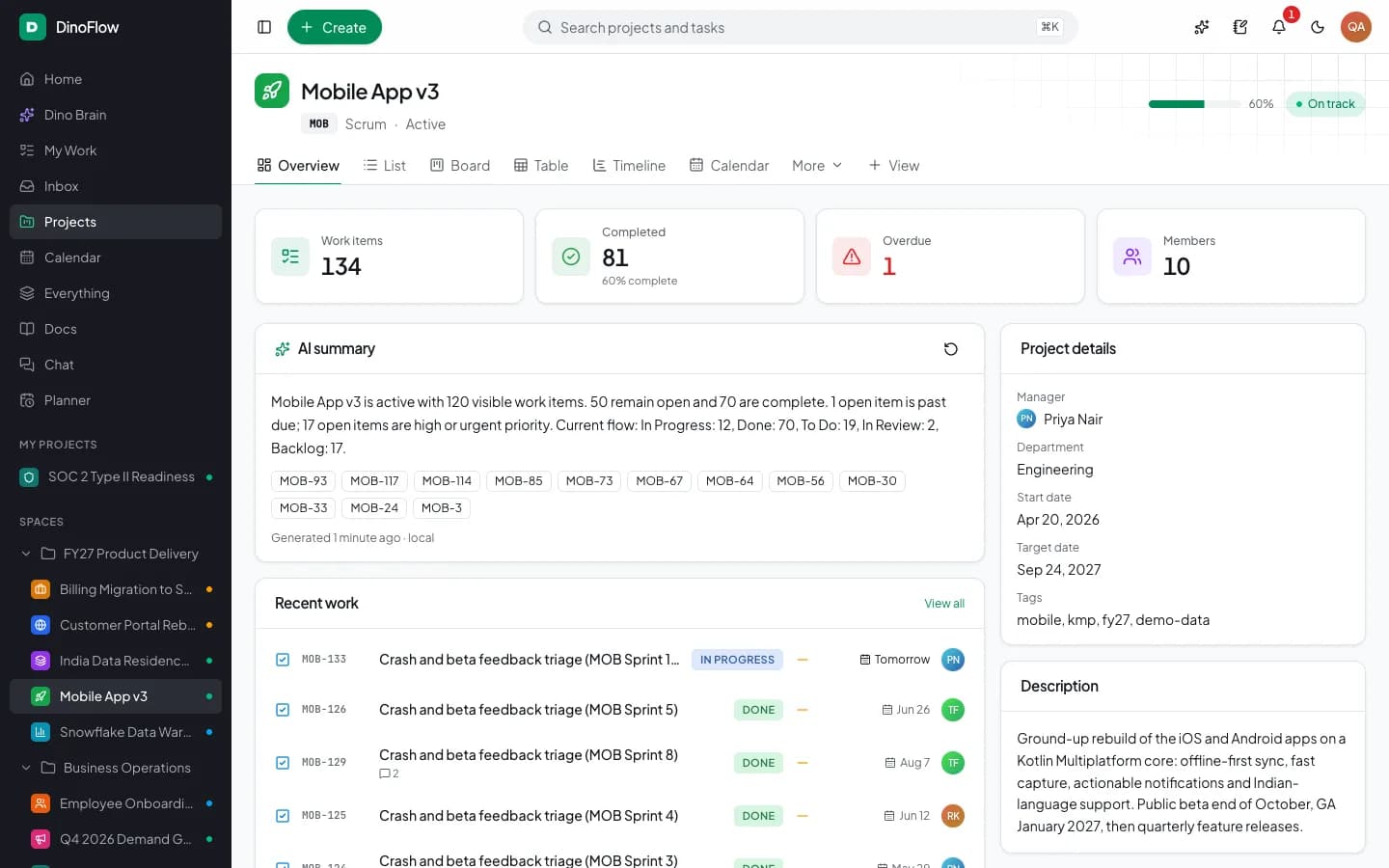
DinoFlow follows the second model. Its AI layer, Dino Brain, appears on the home screen as a daily brief, on project pages as an AI summary, in editors as a writing assistant, in the planner as a day-planning action and on 22 screens as an Ask Brain menu.
Supervisor and Specialist Agent Architecture
Dino Brain is a LangGraph supervisor with five specialist agents. The supervisor reads the request and hands it to the agent best suited to it, which keeps each agent's tool list short and its behaviour predictable. The table shows how work is divided.
| Agent | What it handles | Example tools it can call |
|---|---|---|
| Work & Triage | Finding, creating and updating work, assigning people, linking dependencies, bulk triage | Search, My work, Create work item, Bulk triage, Add dependency |
| Planning & Sprints | Listing sprints, creating sprints and adding work to them | List sprints, Create sprint, Add to sprint |
| Reports & Time | Project reports, blockers and burn-up | Project report, Project blockers, Burn-up |
| Knowledge (RAG) | Answering from docs, wiki pages and whiteboards | Knowledge search, Search docs, List whiteboards |
| Chat & Inbox | Channels, messages and notifications | List chat channels, Read chat messages, Notifications |
In total the agents can call more than 40 tools. A deep research mode adds a multi-step path that plans questions, searches the workspace, cross-checks findings and writes a report with sources.
Permission-Aware Tool Calls
The most important design decision is that agents do not have their own back door. Every tool call goes through the DinoFlow API as the signed-in person. An agent therefore sees and changes only what that person could see and change in the interface, and a guest invited to one project cannot use the agent to read another.
Two more controls limit risk. Agents ask for approval before bulk changes, such as reassigning six triaged requests at once, and agents can be switched to read-only. Automation rules that run an agent do so unattended as the rule owner, with a run history for every execution.
Cited Answers From Your Own Documents
Knowledge answers rely on retrieval rather than the model's memory. Documents are split into chunks and embedded in a Qdrant index that runs in the deployment. A question retrieves the closest chunks, filters them by the asker's permissions, reranks them and passes them to the model, and the reply includes citations that point back to the source page.
Model Choice and Cost Visibility
DinoFlow does not resell AI usage. You connect your own OpenRouter, OpenAI, Anthropic or OpenAI-compatible endpoint and assign separate models to chat, research, embeddings and reranking, with backup models tried in order if the first fails. Provider keys are stored encrypted. A usage dashboard shows spend, tokens, latency and success rate by model, feature and person, and a monthly token budget caps usage.
Self-Hosted Deployment Profile
| Layer | Component |
|---|---|
| Web application | Next.js |
| API and background worker | Node.js |
| Relational data | MySQL |
| Cache and queues | Redis |
| Knowledge index | Qdrant |
| Packaging | Docker Compose on your own server or cloud |
Because the stack runs on infrastructure you control, work data stays in your own database. Prompts still travel to whichever model provider you connect, so teams with strict data rules can point DinoFlow at an OpenAI-compatible endpoint they operate themselves.
Frequently Asked Questions
Frequently Asked Questions
What is an AI agent in project management?
An AI agent is software that can use tools, not only reply with text. In a project tool it can search work, create or update items, plan a sprint or read a report through the same API a person uses, then explain what it did.
Can an AI agent see projects I am not allowed to see?
Not in DinoFlow. Each tool call runs as the signed-in person, so access follows that person's role and project membership. Knowledge search results are filtered by permission before they reach the model.
Who pays for the AI models used by DinoFlow?
You do, directly to the provider you connect, using your own key. TechDino does not mark up model usage, and the usage dashboard and monthly token budget show and cap what is spent.
Explore Next
- See our DinoFlow AI-powered project management
- Learn about our AI agent development
Need Setup or Custom Coding?
Get in touch to rebrand or customize our ready-made products, or discuss custom development services. All quotes are customized and private.
Related Articles
AI Sprint Planning: Backlog Ranking, Team Capacity and Approval Before Changes
How AI sprint planning works in practice: rank the backlog, fit work to team capacity, review the proposed sprint and approve changes before they apply.
Permission-Aware AI Agents for Project Management: Approvals, Read-Only Mode and Audit Trails
How to let AI agents work inside a project tool safely: act as the user, ask before bulk changes, run automations as an owner, keep keys encrypted and review an audit trail.