
Ready-Made Software vs SaaS Subscriptions: Which Fits Your Business?
Short answer
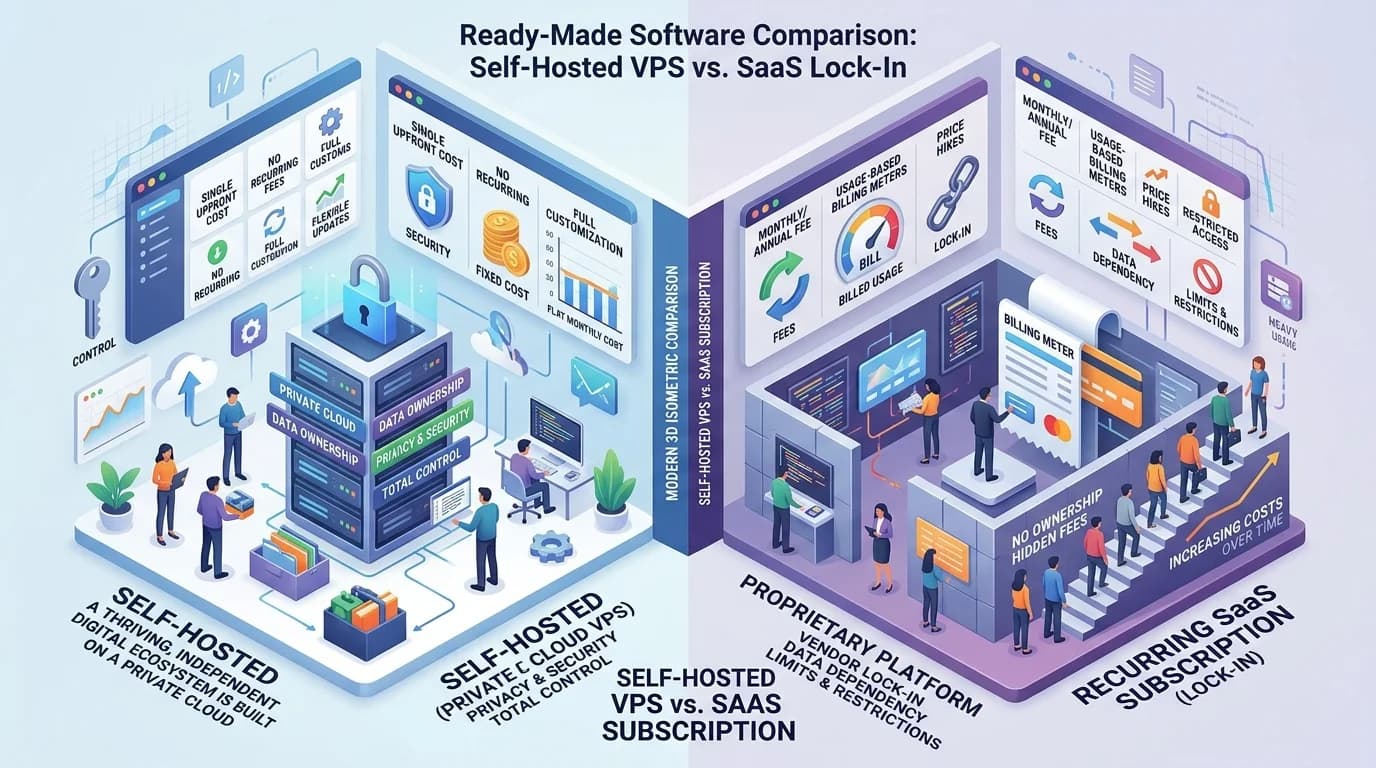
SaaS is a subscription to software running on the vendor's servers; ready-made software is a licence you buy once and deploy on infrastructure you control. SaaS costs less to start and keeps billing indefinitely. A licence costs more upfront and then stops. The deciding factors are how long you will run the system, and who must hold the data.
Both models deliver working software without a custom build, which is why they get compared. What actually separates them is not features — it is who owns the deployment, who holds the data, and what the cost curve looks like in year four.
The Core Difference
With SaaS you rent access. The vendor runs the servers, ships updates, and bills you monthly or annually, usually per user. Stop paying and access ends. With a ready-made licence you buy the right to deploy a finished application, install it on your own server or cloud account, and run it under your own brand. There is no recurring software fee — you still pay for hosting and any third-party services you use.
| Ready-made licence | SaaS subscription | |
|---|---|---|
| Payment shape | Larger one-time cost, then hosting only | Lower entry cost, recurring indefinitely |
| Cost as you grow | Flat — adding users does not change the licence | Rises with seats, records or usage tier |
| Where data lives | Your server or cloud account | Vendor's infrastructure |
| Branding | Fully yours across app, emails and invoices | Vendor's brand, sometimes partial theming |
| Customization | Configurable, and modifiable where source code is included | Limited to the vendor's settings and API |
| Updates | Your responsibility, on your schedule | Automatic, on the vendor's schedule |
| If you stop paying | You keep running the software | Access ends |
| Time to first use | Weeks — branding, integration, deployment | Days — sign up and configure |
How the Cost Curves Cross
Do not compare the two on entry price — compare them over the period you will actually run the system. A subscription is cheapest in month one and never stops. A licence is a step, then a flat line. Somewhere the lines cross, and where that happens is the whole decision.
- Add up the subscription over your real horizon — most business systems run five years or more, not one.
- Include per-seat growth. A subscription priced per user gets more expensive precisely when the business is working.
- Include the vendor's price rises. Renewal increases are normal and compound over the term.
- On the licence side, include hosting, backups and whoever maintains it. A licence is not zero ongoing cost, just zero software cost.
- Include the exit. Migrating off SaaS means export limits and reformatting; migrating a self-hosted system means moving a server you already control.
Short-horizon or genuinely uncertain use — validating a new line of business, a project with a defined end — favours the subscription. Anything you expect to still be running in five years favours the licence.
Where SaaS Genuinely Wins
Being honest about this saves a bad purchase in the other direction:
- You want zero infrastructure responsibility. No server, no backups, no update window, no one on call.
- You need it working this week and branding does not matter.
- The team is small and unlikely to grow, so per-seat pricing stays cheap.
- The product is in a fast-moving category where the vendor's continuous updates are the actual value.
- You are still testing whether the workflow is even needed.
Where a Ready-Made Licence Wins
- Data must stay on infrastructure you control — common in healthcare, education and finance, and often a client requirement rather than a preference.
- Your customers must see your brand and never the vendor's. Agencies deploying for clients cannot use a vendor-branded SaaS.
- Headcount is growing, so per-seat pricing will outrun a flat licence.
- You need modifications the vendor's settings do not expose — only realistic when source code is included.
- You want to stop paying a recurring fee for a system whose requirements stopped changing years ago.
The Question Behind the Question
Most people asking "ready-made or SaaS?" are really asking about exit risk. With SaaS the vendor holds the servers, the data and the price list; a pricing change, an acquisition or a discontinued product is your problem to absorb. With a licensed self-hosted deployment those levers sit with you. That is worth paying more upfront for — or not — depending on how central the system is to how you make money.
See self-hosted software for how the deployment side works, and how source-code licensing works for what a licence actually grants you.
A Practical Way to Decide
- Write down how many years you expect to run this system. If the answer is more than three, price the subscription over all of them.
- Ask whether anyone — a regulator, a client, your own policy — cares where the data physically sits. If yes, self-hosted is a requirement, not a preference.
- Ask whether your customers will see this software. If they will, decide whether it can carry someone else's brand.
- List the two or three workflow details that make your business different, and check whether a SaaS product's settings can express them.
- If nothing above forces a choice, start with the subscription. It is the cheaper mistake to reverse.
TechDino sells the ready-made side of this comparison: 33 white-label products with complete source code, your branding and deployment on a server you control, quoted per project rather than per seat.
Frequently Asked Questions
Is ready-made software cheaper than SaaS?
Over a short period, no — SaaS has a lower entry cost. Over the life of a system you keep running, usually yes, because a licence is a one-time cost with no recurring software fee while a subscription bills for as long as you use it. Compare over your real horizon, not month one.
Can I move from SaaS to self-hosted software later?
Yes, but the migration cost is real. Export what the vendor allows, reformat it to the new system's structure, and rebuild any integrations. It is easier the earlier you do it, because the data volume and the number of connected systems only grow.
Do I need a technical team to run ready-made software?
Not a team, but someone must own the server, backups and updates. Many buyers hand this to their existing hosting provider or take a support arrangement from the vendor. What you cannot do is deploy it and assume it maintains itself.
Does ready-made software get updates?
It depends on the licence. Some include a period of updates, some sell them separately, and where source code is included you can also apply your own changes. Confirm this in writing before purchase — it is one of the most common gaps between what buyers assume and what the licence says.
Which is better for an agency serving clients?
A licence, in almost every case. Agencies need their own branding in front of the client and often need separate deployments per client — neither of which a vendor-branded SaaS supports. Check that the licence explicitly permits client deployments before selling anything.
Explore Next
- See our ready-made white-label software products
- Learn about our SaaS development
Need Setup or Custom Coding?
Get in touch to rebrand or customize our ready-made products, or discuss custom development services. All quotes are customized and private.
Related Articles
What Is White-Label Software? Definition, Examples, and How It Works
White-label software is a finished product built by one company and rebranded and sold by another. Here is how it works, how it differs from SaaS and custom builds, and when it fits.
How to Choose White-Label Software for Your Business
A practical checklist for evaluating white-label software: licensing, source code, branding depth, hosting, integrations, and support — before you pay.