
How LangGraph Multi-Agent AI Assistants Work in Business Software
Short answer
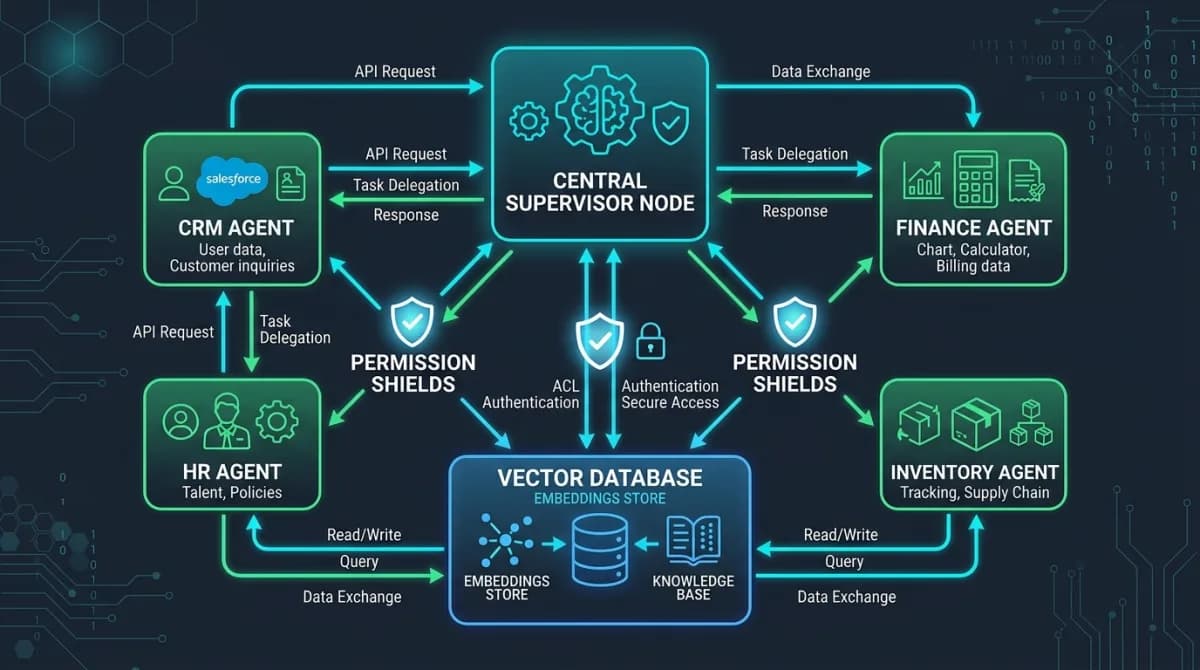
A LangGraph multi-agent AI assistant uses a supervisor model that delegates each business question to specialist agents for CRM, procurement, finance, HR, operations and knowledge-base domains. Each agent runs permission-scoped queries against live records, and the supervisor compiles a cited answer the user can verify against source documents.
Software discussed: Dino Business OS · Try the live demo
Why a Single LLM Call Is Not Enough
A single language-model prompt cannot reliably query across CRM leads, inventory balances, payroll registers, and policy documents in one pass. The context window fills up, hallucination risk can increase, and there is no reliable way to enforce per-module permission boundaries. When an employee asks a multifaceted question involving both sales pipeline velocity and open purchase requisitions, monolithic prompts frequently confuse table schemas and hallucinate nonexistent figures.
How the Supervisor-Agent Pattern Works
LangGraph defines a directed computational graph of specialized execution nodes. The supervisor node receives the incoming natural language query, evaluates intent, decides which domain experts are required, and dispatches them as parallel tool calls. Each specialist agent — CRM, procurement, finance, HR, operations, and knowledge base — executes focused queries against its specific relational schema or vector collections using the signed-in user's identity.
Bound the delegation explicitly. Without a cap on rounds, a supervisor faced with an ambiguous question will keep calling specialists in search of a better answer, burning tokens and latency for no gain. A fixed ceiling — three rounds is a workable default — with a clear instruction to answer from what has been gathered turns an open loop into a predictable request.
- Supervisor node: routes questions, evaluates agent outputs, coordinates multi-turn reasoning, and streams the synthesized response token by token
- CRM agent: retrieves leads, customer accounts, supplier profiles, quotations, and active sales orders
- Finance agent: inspects accounts receivable, accounts payable, tax invoices, receipts, journal entries, and financial balance sheets
- HR agent: accesses organizational directory charts, attendance logs, leave balances, and authorized salary records
- Operations agent: queries warehouse inventory stock counts, purchase orders, goods receipts, and delivery dispatch statuses
- Knowledge base agent: performs semantic retrieval against embedded organizational policy documents and standard operating procedures stored in Qdrant
Permission-Scoped Retrieval Architecture
Security in enterprise artificial intelligence cannot depend on conversational prompt instructions like 'please do not show salaries'. Instead, each specialist agent constructs parameterized database queries that embed the signed-in user's role ID, module permissions, and assigned branch identifiers directly into the SQL WHERE clauses. A warehouse manager asking about inventory balances only sees stock stored in their local warehouse. A sales officer inspecting pipeline velocity cannot view employee payroll records.
Audited and Cited Output Generation
Every synthesized answer generated by the supervisor lists explicit citations referencing the primary database entities inspected. The chat interface displays which specialist agents were invoked, the exact record IDs retrieved, and transparent notices if any requested domain was blocked due to insufficient user privileges. Because the AI assistant never performs database mutations, administrative teams can safely deploy conversational intelligence across the entire workforce.
Frequently Asked Questions
Frequently Asked Questions
Can the AI assistant see data a user cannot access?
No. Each specialist agent runs permission-scoped queries using the signed-in user's role, module permissions, and assigned branches. Restricted records never reach the language model.
Which AI models does the assistant support?
Administrators connect OpenRouter, OpenAI, or any approved OpenAI-compatible HTTPS endpoint. They choose chat, embedding, reranking, speech, and transcription models.
Can teams use voice with the AI assistant?
Yes. The chat supports a voice button that records audio and converts it to text using the configured transcription model.
How is AI usage tracked?
Every AI call is recorded with its model, token counts, and provider-reported cost. The settings page shows live account balance and daily usage.
The software in this article
Dino Business OS
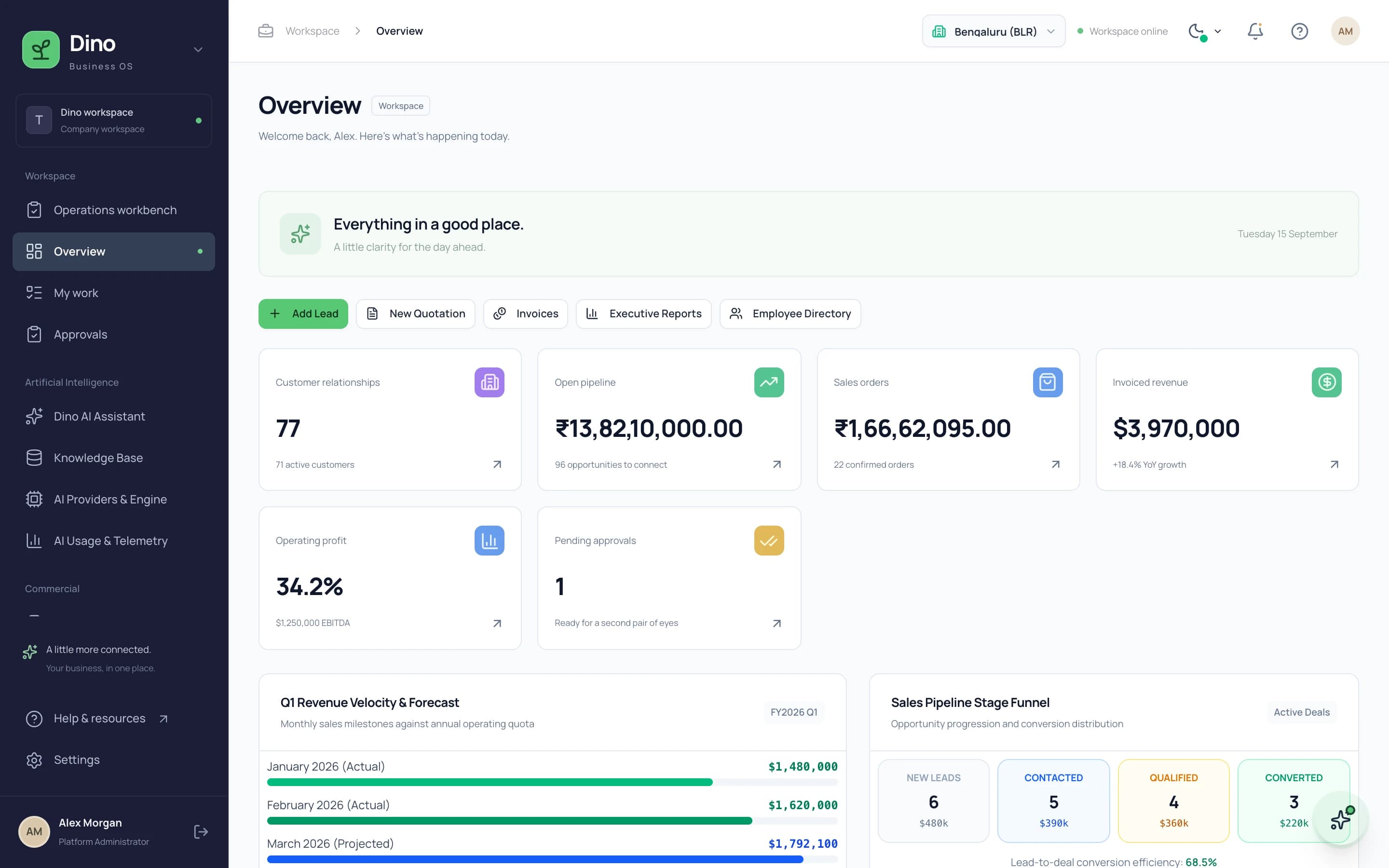
Dino Business OS is AI-powered business operations software that connects CRM, sales, procurement, inventory, projects, HR, payroll, service, assets, documents and finance in one permission-controlled workspace with a built-in LangGraph multi-agent AI assistant.
Want Dino Business OS Under Your Brand?
Rebrand Dino Business OS with your logo and domain, or have it customized for your workflow. All quotes are customized and private.
Related Articles
What Is AI-Powered ERP Software and Why Growing Businesses Need It
AI-powered ERP software connects CRM, sales, procurement, inventory, HR, payroll and finance with an AI assistant that answers from live records. Learn how it works, who it suits and what to look for.
How AI Assistants Answer Business Questions from Live Company Data
A practical explanation of how AI assistants retrieve invoices, leads, employees and policy documents from live business records, enforce permissions, and cite their sources.