
White-Label Food Delivery App: How to Launch Your Own Delivery Marketplace
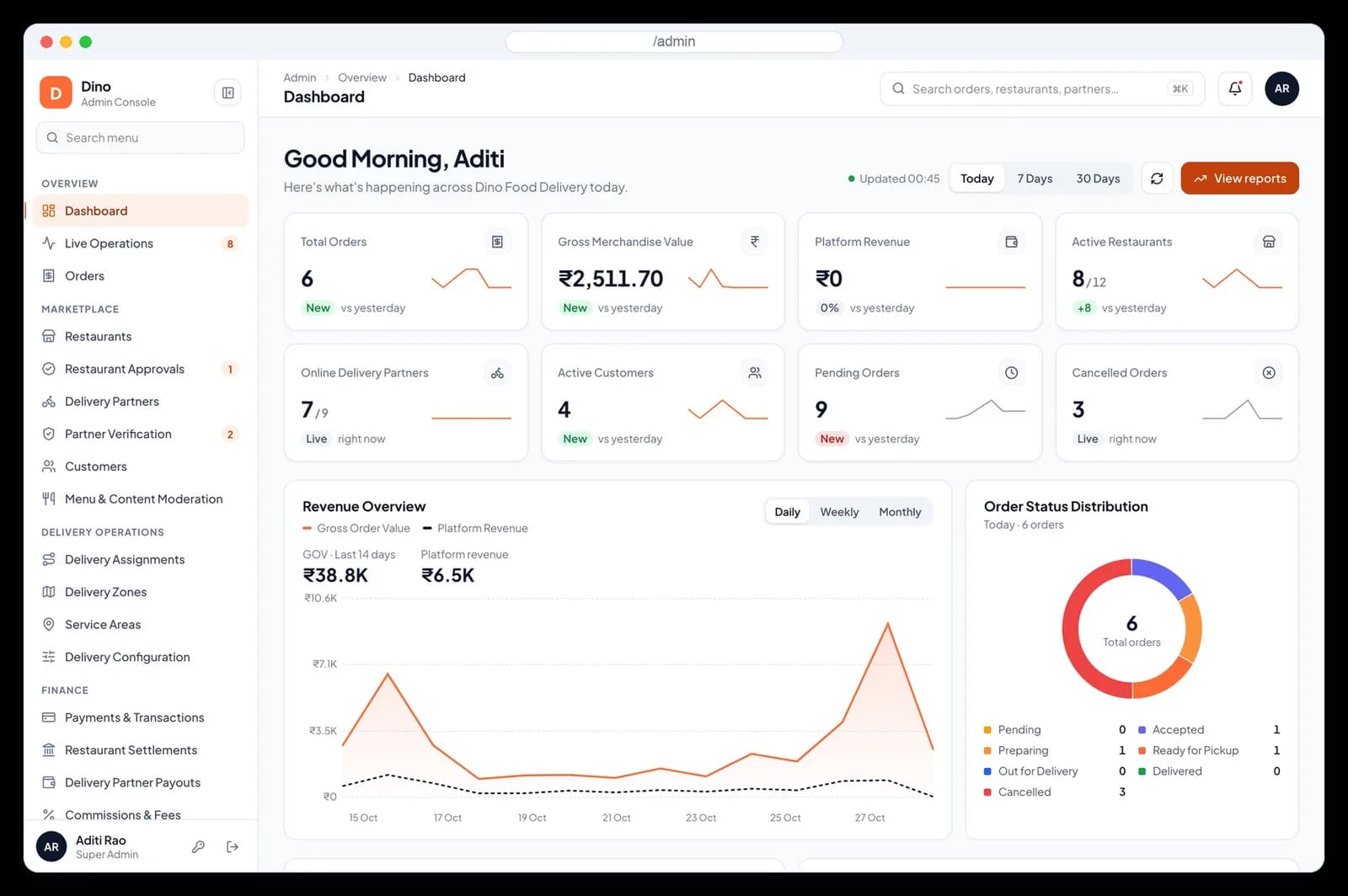
Short answer
A white-label food delivery app is ready-made marketplace software that a business rebrands and runs as its own delivery service. A complete platform has four connected parts: a customer app, a restaurant portal, a delivery partner app and an admin console that handles dispatch, refunds and settlements. The buyer adds restaurants, riders and payment accounts, then launches under its own name.
Software discussed: Dino Food Delivery · Try the live demo
Aggregators taught every city to order food on a phone. They also taught restaurants that a large share of each order goes to the platform: the National Restaurant Association of India's India Food Services Report 2024 put the average aggregator commission at 24.6% in 2023, up from 9.6% in 2019. That gap is why founders, regional marketplaces and restaurant groups look at running their own delivery service. The hard part is not the idea; it is the software, because a delivery marketplace is four products that must agree on every order.
What Is a White-Label Food Delivery App?
A white-label food delivery app is a finished marketplace product, built once and licensed to many operators, that each operator publishes under its own brand. Customers see your name and logo in the app stores, restaurants sign in to your portal, and riders deliver for your service. With source-code delivery the operator also controls hosting and can extend the product. What white-label software is covers the general model.
A "Swiggy clone" or "Zomato clone" is the same idea described by the pattern it copies: location-first discovery, a restaurant partner portal, rider dispatch and weekly settlements. The useful question is not whether a product resembles a famous app, but whether all four parts are complete and connected.
The Four Apps Every Delivery Marketplace Needs
| App | Who uses it | What it must do | In Dino Food Delivery |
|---|---|---|---|
| Customer app | People ordering food | Location, discovery, menu, cart, checkout, payment, tracking, ratings, support | Flutter app for Android and iOS with UPI, card, netbanking and cash on delivery |
| Restaurant portal | Owners, branch managers, kitchen staff | Accept orders with a prep time, run the kitchen, manage menu, stock, hours, offers and earnings | 22 pages with a kitchen bell, kitchen board timers and weekly settlements |
| Delivery partner app | Riders | KYC, going online, offers, pickup, handover, earnings, cash and payouts | Flutter app with one offer at a time, pickup code, delivery OTP and a cash wallet |
| Admin console | The operator's staff | Live operations, dispatch, approvals, zones, refunds, commissions, settlements, campaigns, support, audit | 40 pages across operations, marketplace, delivery network, finance, growth, support and administration |
Each app depends on the others. When the kitchen marks an order ready, the rider must be told, the customer's timeline must move and the admin board must clear the delay flag. If those updates are stitched together after the fact, the apps disagree and support tickets follow.
One Order, End to End
- Order placed (customer app): the customer pays by UPI or card, or picks cash on delivery. A failed payment never creates an order.
- Accepted and cooked (restaurant portal): the kitchen accepts with a preparation time, which sets the arrival window the customer sees, then marks the order ready.
- Rider offered (dispatch): auto-assignment offers the trip to one eligible online delivery partner, and the offer expires to the next partner if unanswered.
- Picked up (partner app): the rider ticks every item and confirms with the pickup code at the counter.
- Delivered (partner app): the customer's 4-digit code completes the handover.
- Settled (admin console): the ledger pays restaurants weekly and riders after approval, with cash collected on delivery deducted from the rider's payout.
In Dino Food Delivery, every hand-off is a status change written once on the server, so all four apps always agree on where the order is. Tracking is status-based across eight stages; the rider's live location is never shared with the customer.
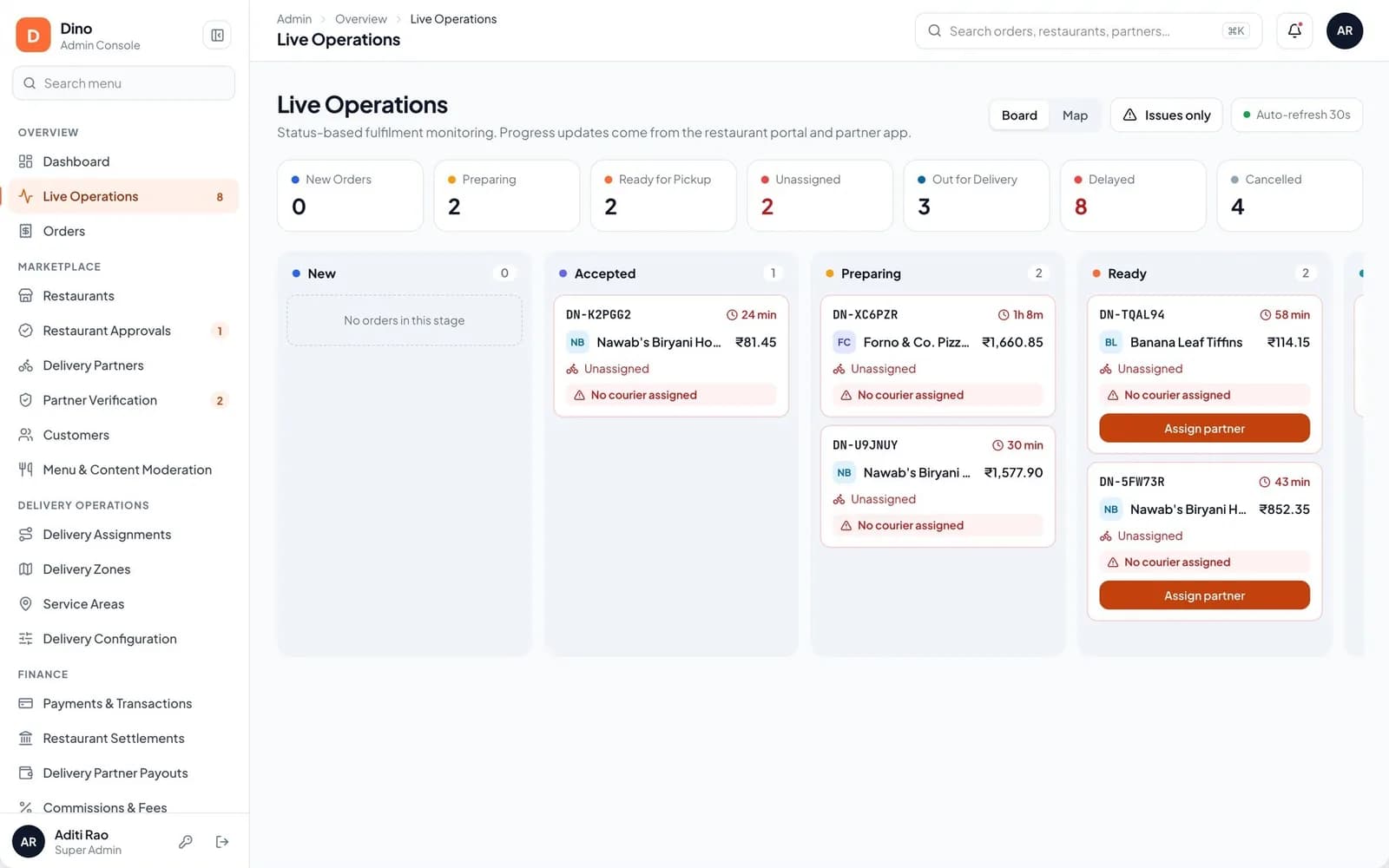
The admin live operations board: one column per stage, with delayed and unassigned orders flagged.
Build, Subscribe or White-Label?
| Question | Custom build | Monthly SaaS | White-label with source code |
|---|---|---|---|
| Time to launch | Many months for four apps, dispatch and finance | Fast; the vendor's apps are ready | Approximately two weeks of setup after scope, assets and access are confirmed, plus app-store review |
| Upfront cost | Highest: designers and developers for every app | Low | A one-time purchase for the agreed scope |
| Recurring fees | Your own developers | Monthly plans, often per order or per outlet | No per-order platform fee; you pay your own hosting and providers |
| Brand control | Full | Limited to the vendor's templates | Full, including app-store listings under your accounts |
| Source code | Yours | Not provided | Provided for the agreed scope |
| Data | On your servers | On the vendor's servers | On servers you choose |
A monthly SaaS suits a founder testing one neighbourhood for a few weeks. A custom build suits a funded company with unusual requirements and a permanent engineering budget. White-label with source code sits between them: a complete, connected marketplace on day one, under your brand, without a fee that grows with every order you deliver.
Features That Separate a Real Platform From a Demo
Most food delivery app demos look alike on the home screen. The differences show up in operations and money, where a launched marketplace spends its time.
- Dispatch with overrides: auto-assignment when a restaurant accepts, a queue for orders with no courier, and manual reassignment that is counted and audited.
- Serviceability: radius or polygon delivery zones with their own fees, service areas with blackout windows for rain or events, and the same lookup the customer app runs.
- Money controls: amounts stored in whole paise, a balanced ledger, small refunds that auto-approve and large ones that need two people.
- Cash on delivery that reconciles: rider cash tracked in a wallet and deducted from the next payout.
- Onboarding approvals: FSSAI licence, PAN and cancelled cheque for restaurants; licence, ID and bank proof for riders, verified document by document.
- Privacy by default: customer phone and address masked for staff, with every reveal written to the audit log.
The full list, app by app, is in the food delivery app features checklist.
Costs You Still Pay After Buying the Platform
Owning the software removes the platform fee, not the cost of running a marketplace. Budget for these before launch:
- Servers for the API, worker, database and web portals, sized to orders per hour.
- Payment gateway fees on online orders, and payout fees on transfers to restaurants and riders.
- SMS for one-time codes, push notifications and transactional email.
- Google Play and Apple developer accounts for the customer and partner apps.
- Rider pay: base trip pay plus pay per km, incentives and the cost of idle time in quiet hours.
- Discounts and launch offers, which are usually the largest early marketing cost.
- Support staff, and refunds for missing items and late deliveries.
The food delivery business model guide works through commission, fees and contribution per order with a worked example.
Launch Checklist
- Market: one city or a few neighbourhoods where you can sign enough restaurants and riders to keep delivery times short.
- Supply: restaurant agreements with commission, payout cycle and offer funding written down, plus food-safety licences on file.
- Fleet: riders with verified documents, vehicle types and a pay rule they understand before the first shift.
- Brand: marketplace name, logo, colours, domain and app-store listings.
- Configuration: delivery zones, fees, commission, refund limits and settlement days.
- Accounts: payment gateway, payouts, SMS, push and email providers in your own name.
- Legal: terms, privacy policy, refund policy and tax registration for your market. India-specific rules are covered in how to start a food delivery business in India.
- Stores: customer and partner apps approved on Google Play and the App Store before the launch date you announce.
For licensing details, read how source-code licensing works. If you run a single restaurant rather than a marketplace, TechRestro covers one restaurant's own ordering, QR menu and table booking instead.
Frequently Asked Questions
What is a white-label food delivery app?
It is ready-made food delivery marketplace software that a business publishes under its own brand. A complete one includes a customer app, a restaurant portal, a delivery partner app and an admin console, so the operator adds restaurants, riders and payment accounts instead of building each app.
How long does it take to launch a white-label food delivery app?
Setup of a standard branded deployment is estimated at approximately two weeks after the scope, brand assets, hosting access and provider accounts are confirmed. Google Play and App Store reviews run on each store's own timeline, and signing restaurants and riders usually takes longer than the software.
Is a white-label food delivery app the same as a Swiggy clone?
It follows the same marketplace pattern: location-first discovery, a restaurant portal, rider dispatch and settlements. A good white-label product is original code with its own design that you run under your own brand, with your own commission and fees.
Do customers see the rider's live location?
Not in Dino Food Delivery. Tracking is status-based across eight stages with a static map of the restaurant and delivery point, and a 4-digit code confirms the handover. Many operators prefer this because it protects rider privacy and avoids continuous GPS sharing.
What are the biggest running costs of a food delivery marketplace?
Rider pay, discounts and launch offers, payment and payout fees, SMS and servers, and support and refunds. Owning the source code removes per-order platform fees but not these.
Can I try a white-label food delivery demo?
Yes. The Dino Food Delivery demo at dinofood.techdino.in has one-click demo logins for the admin console and restaurant portal, and Android APKs for the customer and delivery partner apps.
Software in this article
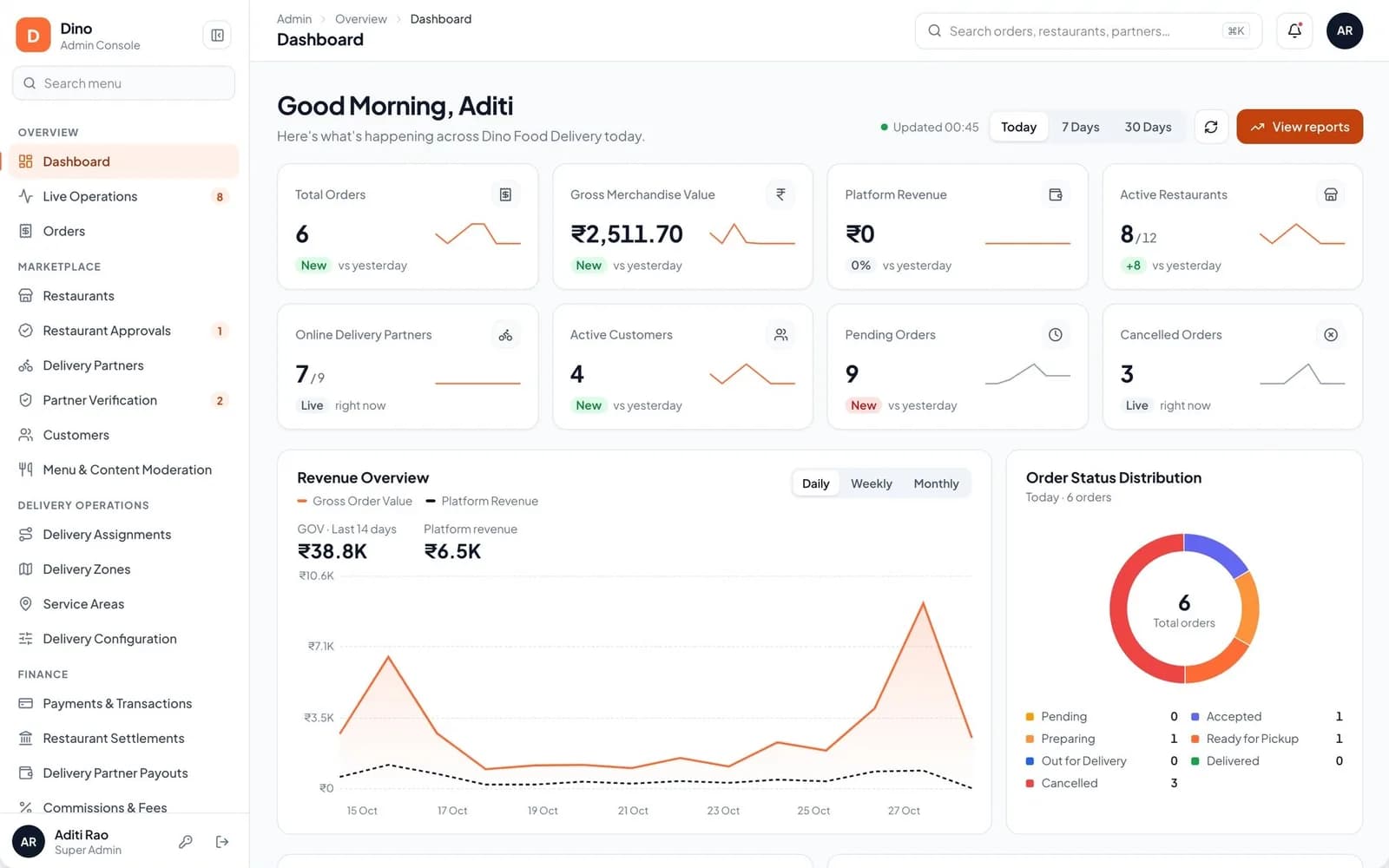
Dino Food Delivery
Dino Food Delivery is a white-label, multi-restaurant food delivery platform with an admin console, a restaurant portal, a Flutter customer app and a Flutter delivery partner app on one backend, with auto-dispatch, OTP handover, maker-checker finance controls and weekly settlements, sold with the source code.
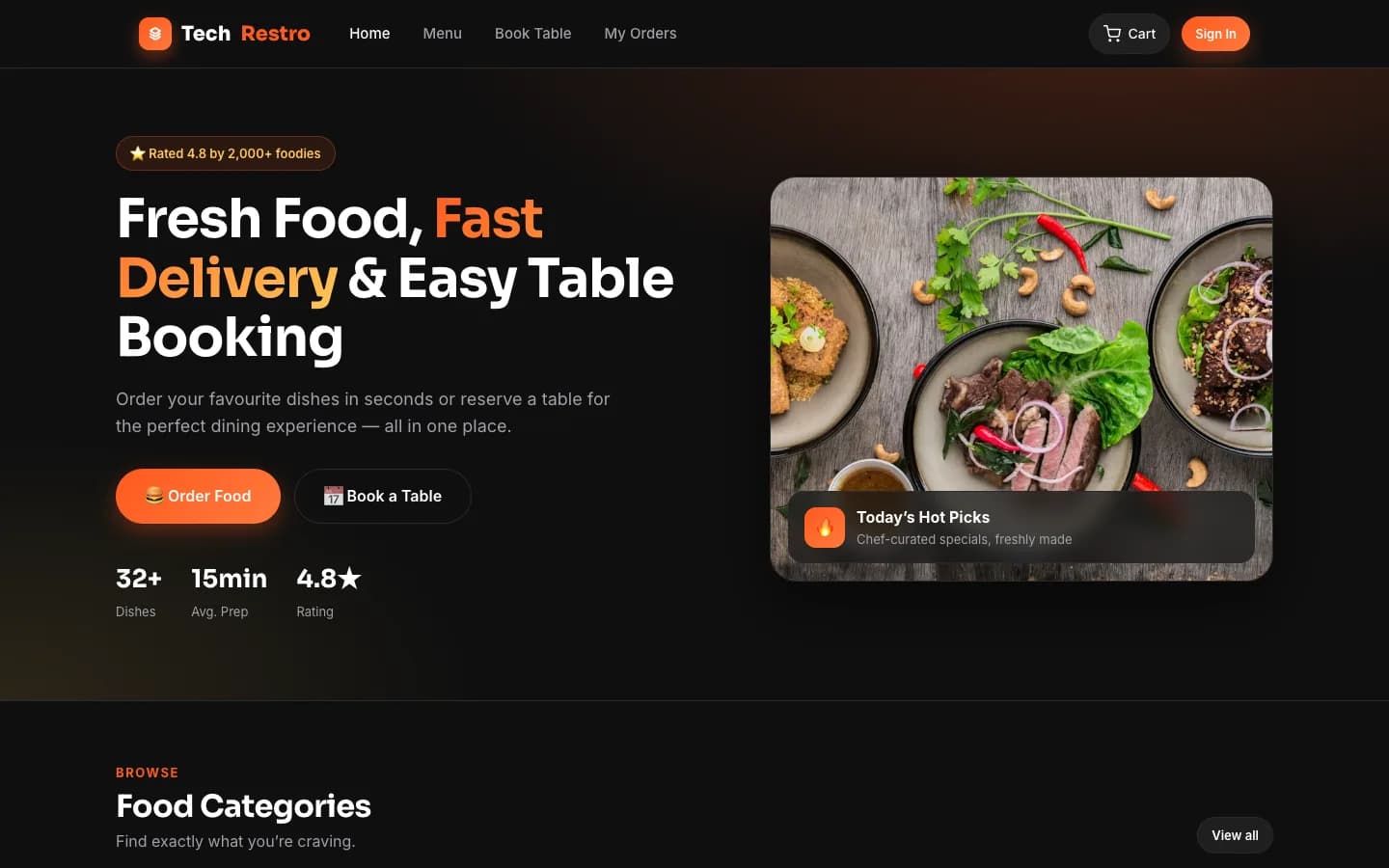
TechRestro
Restaurant online ordering and table booking platform with digital menu, delivery and pickup orders, reservation slots, and admin console with analytics.
Want Dino Food Delivery Under Your Brand?
Rebrand Dino Food Delivery with your logo and domain, or have it customized for your workflow. All quotes are customized and private.
Related Articles
How to Start a Food Delivery Business in India: Licences, GST, Payments and Riders
A step-by-step plan for launching a food delivery app in an Indian city: picking the market, FSSAI and GST obligations, UPI and cash on delivery, rider pay, restaurant commission and launch costs.
Food Delivery App Features: The Complete Checklist for Customer, Restaurant, Rider and Admin Apps
Every feature a multi-restaurant food delivery platform needs, app by app: customer ordering, restaurant operations, rider dispatch and the admin controls for money, support and audit.