
Multi-Branch ERP: Running Several Branches on One Ledger, Catalogue and Customer List

Short answer
A multi-branch ERP keeps every store, warehouse and office on one ledger, one product catalogue and one customer list, while limiting each team to its own branch. Dino ERP works this way: one company per installation with any number of branches, approvals routed by amount, branch and department, and reports that combine or separate branches as needed.
Software discussed: Dino ERP · Try the live demo
A business usually adds its second branch with a copy of whatever the first branch used. By the fourth branch there are four stock spreadsheets, four customer lists and a month-end that takes a week. Head office cannot see which branch is short of stock, and transfers between branches are recorded twice or not at all.
Dino ERP is a self-hosted ERP from TechDino built for one company that operates across several branches. This guide explains the structure that makes a multi-branch ERP work and how to set it up.
One ledger, many branches
In Dino ERP, sales, purchasing and stock documents post to a double-entry ledger automatically. Every posting carries its branch, so the same ledger can report one branch alone or the whole company. Credits must equal debits, posted documents cannot be edited, and closed periods reject new postings, which keeps branch figures consistent with head office.
Shared catalogue and customer list
- Products are created once and stocked in any warehouse, with batches and bins where needed.
- Customers and suppliers are shared, so a customer who buys from two branches has one record and one balance.
- Stock transfers between branches move quantity and value in a single document.
- Document numbering stays gap-free across the company.
Branch-limited access
Roles such as Branch Manager, Sales Executive, Warehouse Operator and Accountant are limited to their assigned branch. A CEO or Finance Manager role can see every branch. Permission checks cover more than 2,500 API routes, and builds fail when a route ships without a permission gate, so a new screen cannot accidentally expose another branch's data.
Approvals routed by amount, branch and department
Purchases and discounts are approved before the document goes out, not afterwards. Multi-step approvals route by amount, branch and department. Approvers work from an approvals inbox or single-use approve and reject links sent by email.
| Situation | Without a shared ERP | With one ledger |
|---|---|---|
| Stock check | Phone each branch | Live stock by warehouse |
| Customer balance | Different per branch | One balance across branches |
| Month-end | Combine spreadsheets | Consolidated reports from the ledger |
| Large purchase | Approved after the fact | Routed for approval before sending |
| Branch transfer | Recorded twice or missed | One transfer document |
Setting up branches in order
- Create the company and its tax setup, such as India GST.
- Add branches and their warehouses.
- Import the shared catalogue, customers and suppliers by Excel or CSV.
- Load opening stock per warehouse and opening balances per branch.
- Assign each staff member a role and a branch.
- Set approval rules by amount and department before the first live document.
Frequently asked questions about multi-branch ERP
Frequently Asked Questions
Can each branch have its own warehouse?
Yes. Each branch can hold one or more warehouses, and stock is tracked per warehouse with batches, bins and barcode picking where needed.
Can Dino ERP run several separate companies?
Dino ERP runs one company per installation with any number of branches. Separate legal companies would use separate installations.
Does the point of sale work in branches with poor internet?
Yes. The point of sale keeps selling offline and closes each session with end-of-day reconciliation once the connection returns.
The software in this article
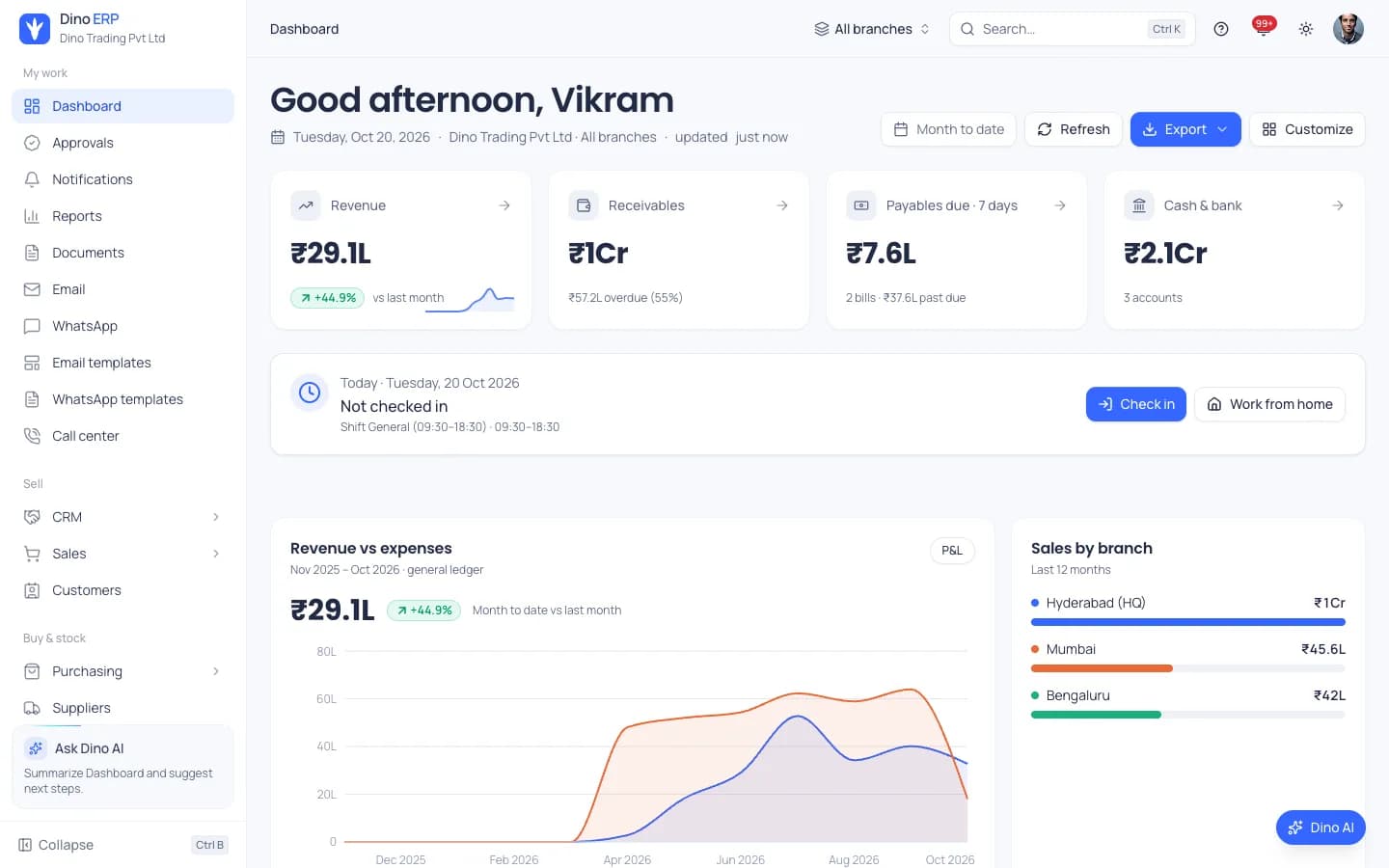
Dino ERP
Dino ERP is an AI-powered, self-hosted, white-label ERP with 27 product areas across seven suites, including CRM, sales, purchasing, inventory and WMS, finance, country tax setup, HR and payroll, projects, manufacturing, quality, assets, helpdesk, POS, e-commerce, subscriptions, rental and portals, plus Dino AI for questions, document capture and forecasts.
Explore Next
- Learn about our web application development services
Want Dino ERP Under Your Brand?
Rebrand Dino ERP with your logo and domain, or have it customized for your workflow. All quotes are customized and private.
Related Articles
White-Label ERP Software: How to Rebrand, Resell or Run Your Own ERP
What white-label ERP software is, who buys it, what can be rebranded, how it compares with open-source and SaaS ERP, and the licence terms resellers need in writing.
ERP Software with Source Code: What You Receive, What the Licence Allows and What It Costs to Run
Buying ERP once with the source code instead of renting it per user: what the handover contains, what the licence permits, a five-year cost framework and when it is the wrong choice.